
AI Pose Changer vs Aragon
Compare Aragon’s documented pose-editing workflow with five AI Pose Changer tests. Review the inputs, evaluation criteria, visible changes, and practical considerations for editing a portrait.
Choose the workflow that fits
Choose AI Pose Changer for…
Preparing an edit with text, an uploaded pose reference, or 70 built-in reference images. Five recorded examples show both the pose changes and differences elsewhere in the image.
Consider Aragon for…
Exploring preset or written pose directions within Aragon’s photo-editing suite. Its official Pose Editor page describes free access with an account.
This comparison is published by AI Pose Changer. It covers our current interface and the reviewed product documentation, not a controlled output-quality test. Real-account generation and payment have not been verified in this review.
The differences at a glance
Compare the same task and input requirements before choosing an editor.
| What matters | AI Pose Changer | Aragon |
|---|---|---|
| Product scope | Existing-photo pose editor | Aragon Pose Editor; separate from headshot packages |
| Direction | Text, uploaded reference, 70 library images | Presets and custom descriptions, per official documentation |
| Evidence used | Five single-generation results at 2K / Medium | Official Pose Editor feature descriptions |
| Cost basis | 5 credits per image; 10 welcome credits | Official page describes free access with an account |
| Preservation | Visible details can change; inspect the result | Official page describes preserving appearance and scene |
| Timing evidence | Team reports usually about one minute | See the current editor for processing estimates |
Evaluation goal: can a pose edit serve a real portrait task?
- 1Original portrait
- 2One intended movement
- 3Inspect the result
The task is to change body language in an existing image: move a hand, adjust a shoulder angle, or change how an accessory is carried. For a profile or outfit photo, an output must do more than look polished. It should follow the requested movement while retaining the details needed for the intended use.
We compare AI Pose Changer with Aragon Pose Editor. This is a product-workflow evaluation, not a benchmark of named foundation models. Aragon’s paid headshot packages solve a different task and are not used as the price or speed baseline here.
Product introduction: capabilities and scope
Aragon’s official Pose Editor page describes preset poses and custom written directions for headshots and full-body images. It advertises free access with an account and presents preserving appearance and scene as a product promise. We treat that promise as a claim to test, not a demonstrated result.
AI Pose Changer accepts a source portrait, an optional visual reference, and written instructions. Its library currently contains 70 references. Our supplied tests used 2K / Medium settings. This review does not establish model versions, parameter counts, or deployment infrastructure for either product, so none are inferred from the interface.
Evaluation data: five source–reference–result sets
The dataset consists of five team-supplied portrait edits: hand on hip, shoulder strap, over-the-shoulder turn, opposite-arm hold, and walking with a shoulder bag. Each includes a source image, a library reference, and one generated result. The team confirms that the outputs were not retouched after generation; web copies are converted to WebP.
The cases cover arm placement, torso direction, and props across five portrait scenes. The case images and observations are from AI Pose Changer tests; Aragon’s product details are drawn from its official Pose Editor page.
Five AI Pose Changer test cases
Original · Reference · Result
Hand on hip
Outfit photo: compare a relaxed arm with a hand-on-hip pose that frames the waist.
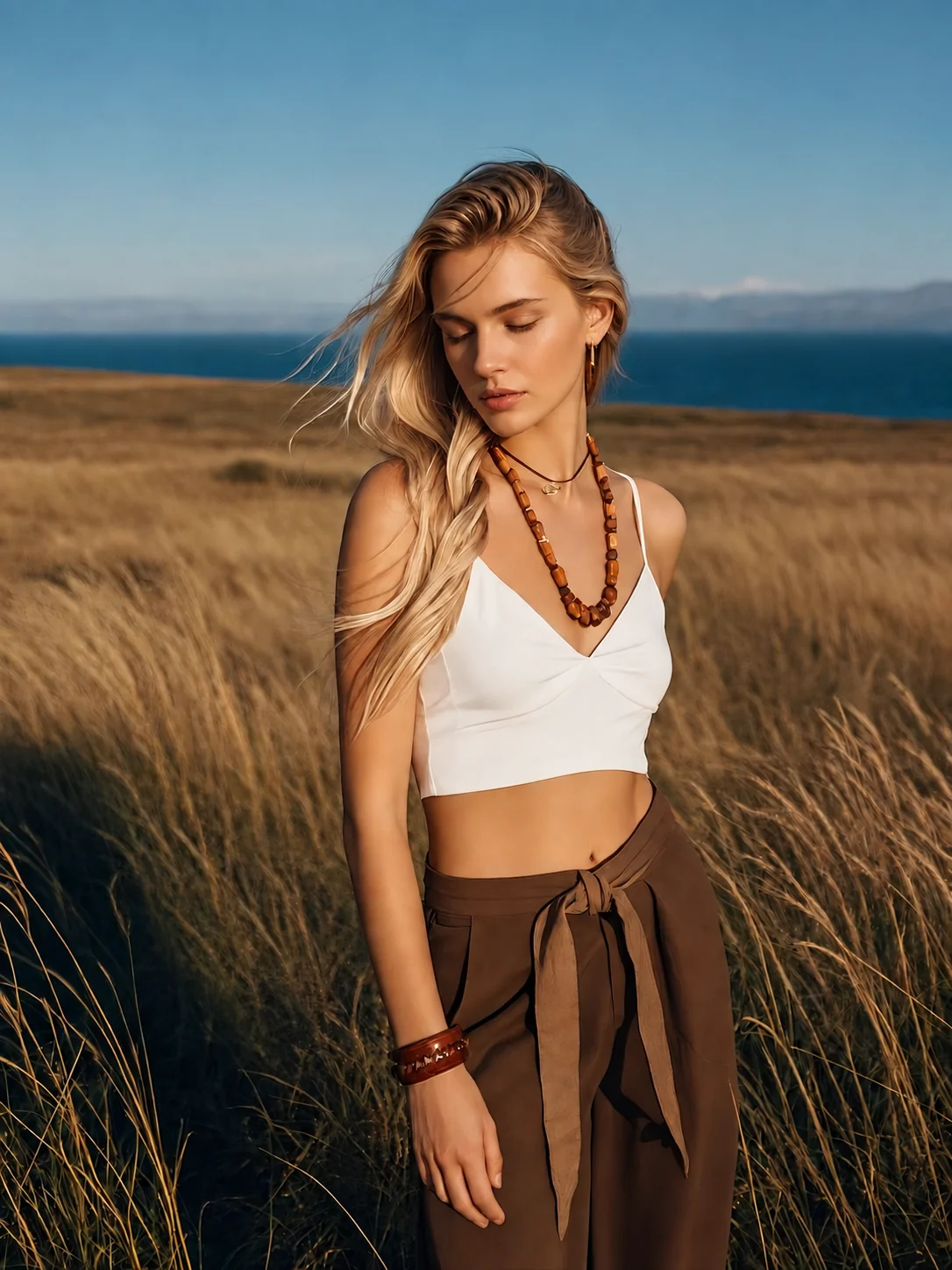
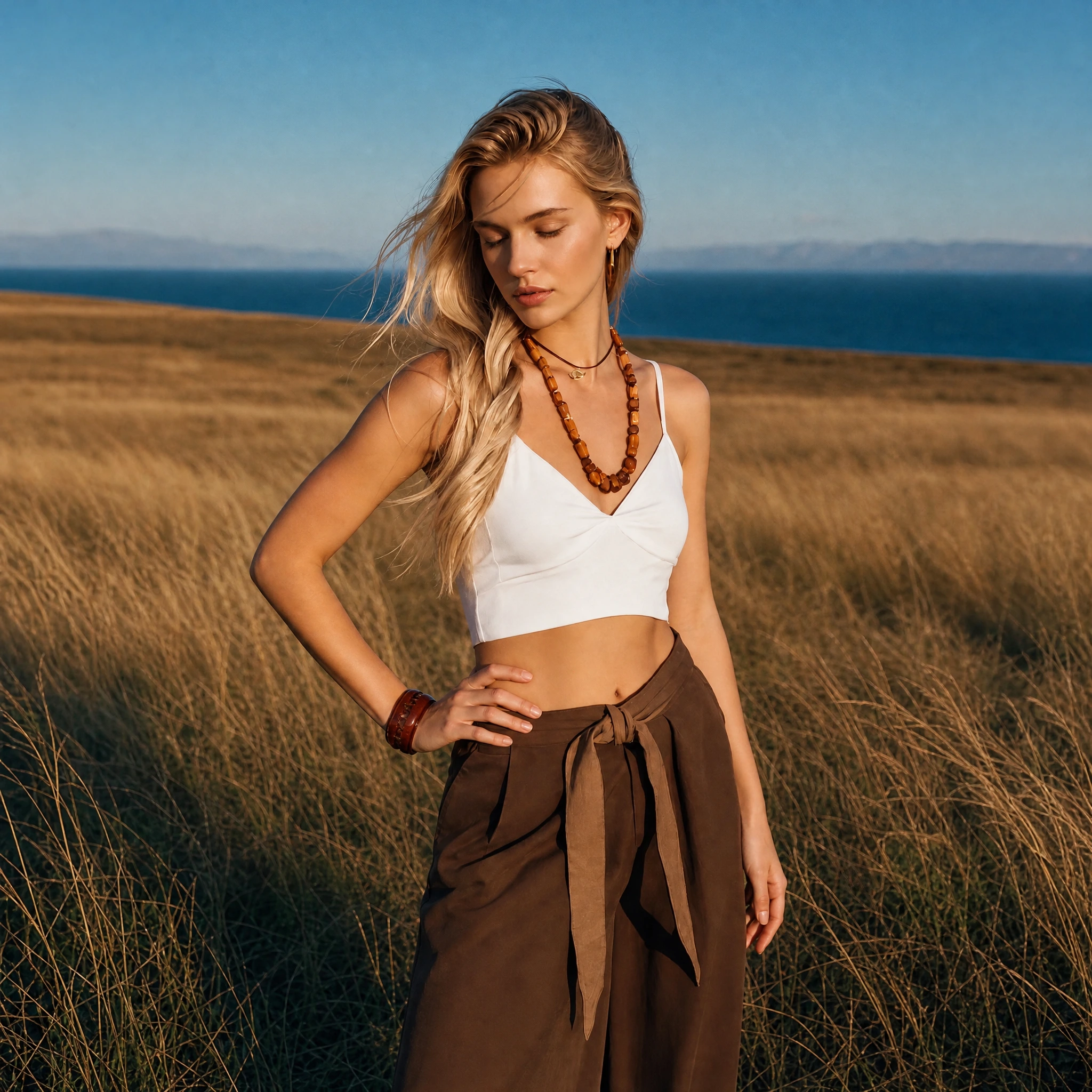
What changed
The arm on the left of the image bends outward and the hand rests at the waist. The downward gaze, white top, brown trousers, and coastal grassland remain recognizable.
What to check
The output is square rather than the original portrait format. Framing, clothing folds, and background details also change; this is not an edit of the arm alone.
Holding a shoulder strap
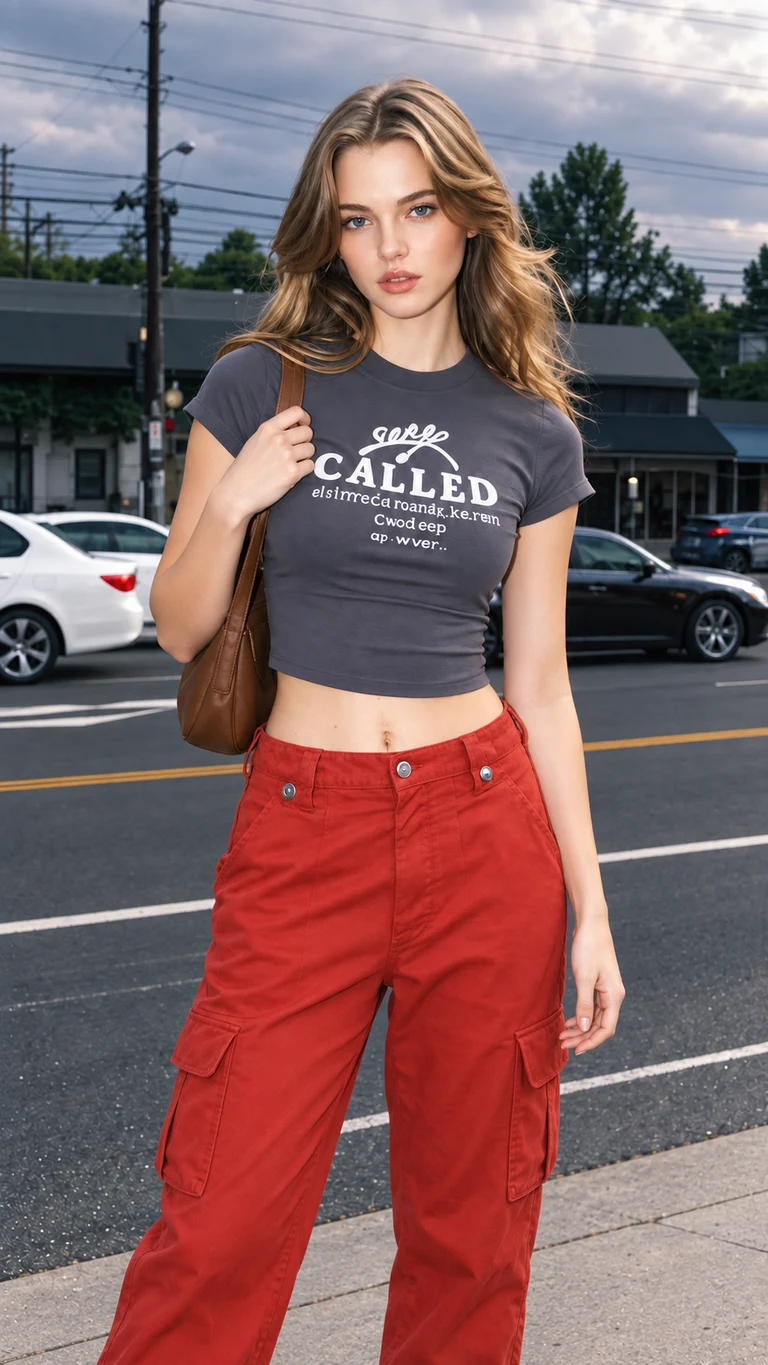
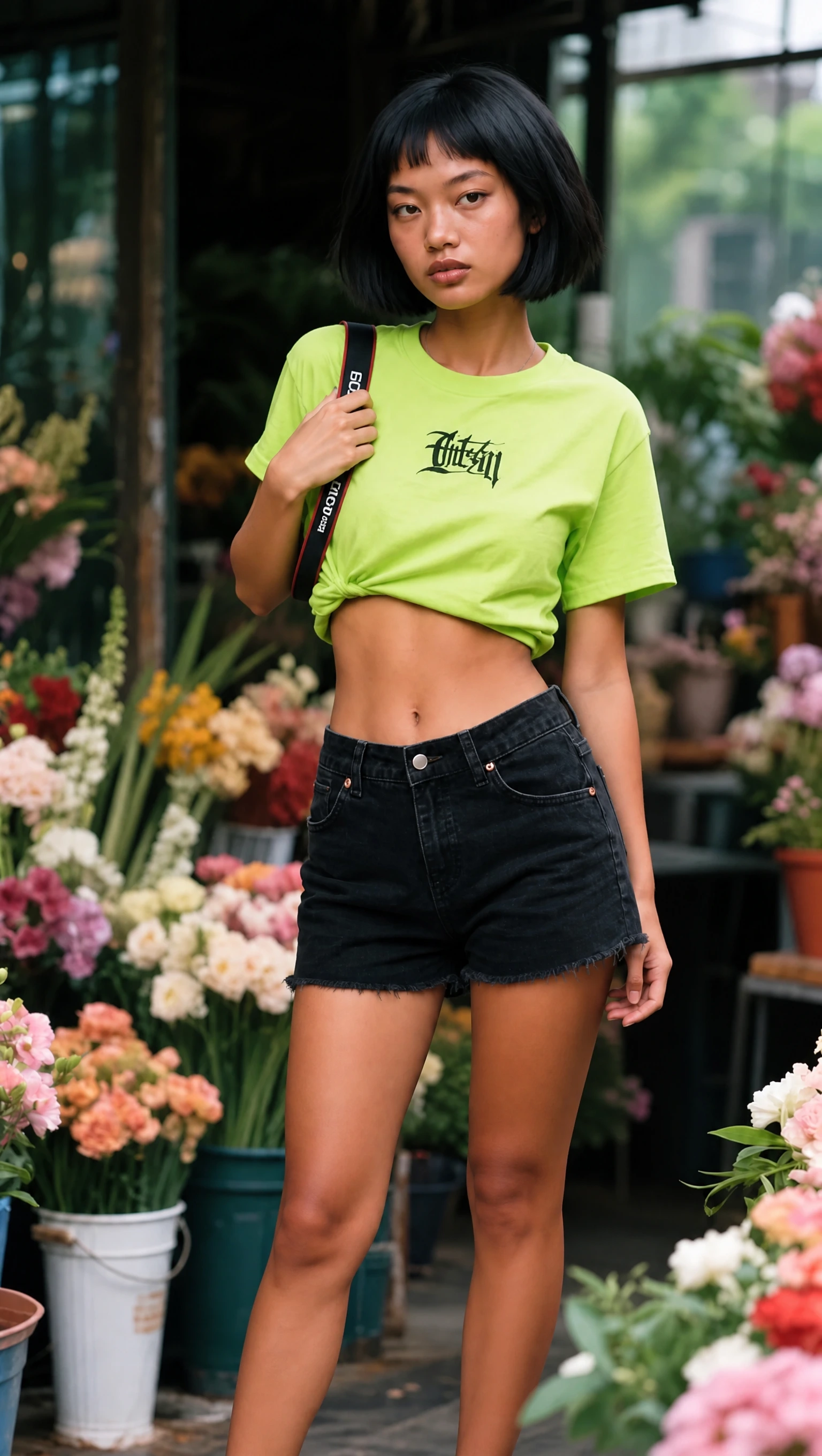
Portrait with an accessory: explore lowering a raised arm to a shoulder strap, and see how the prop changes.
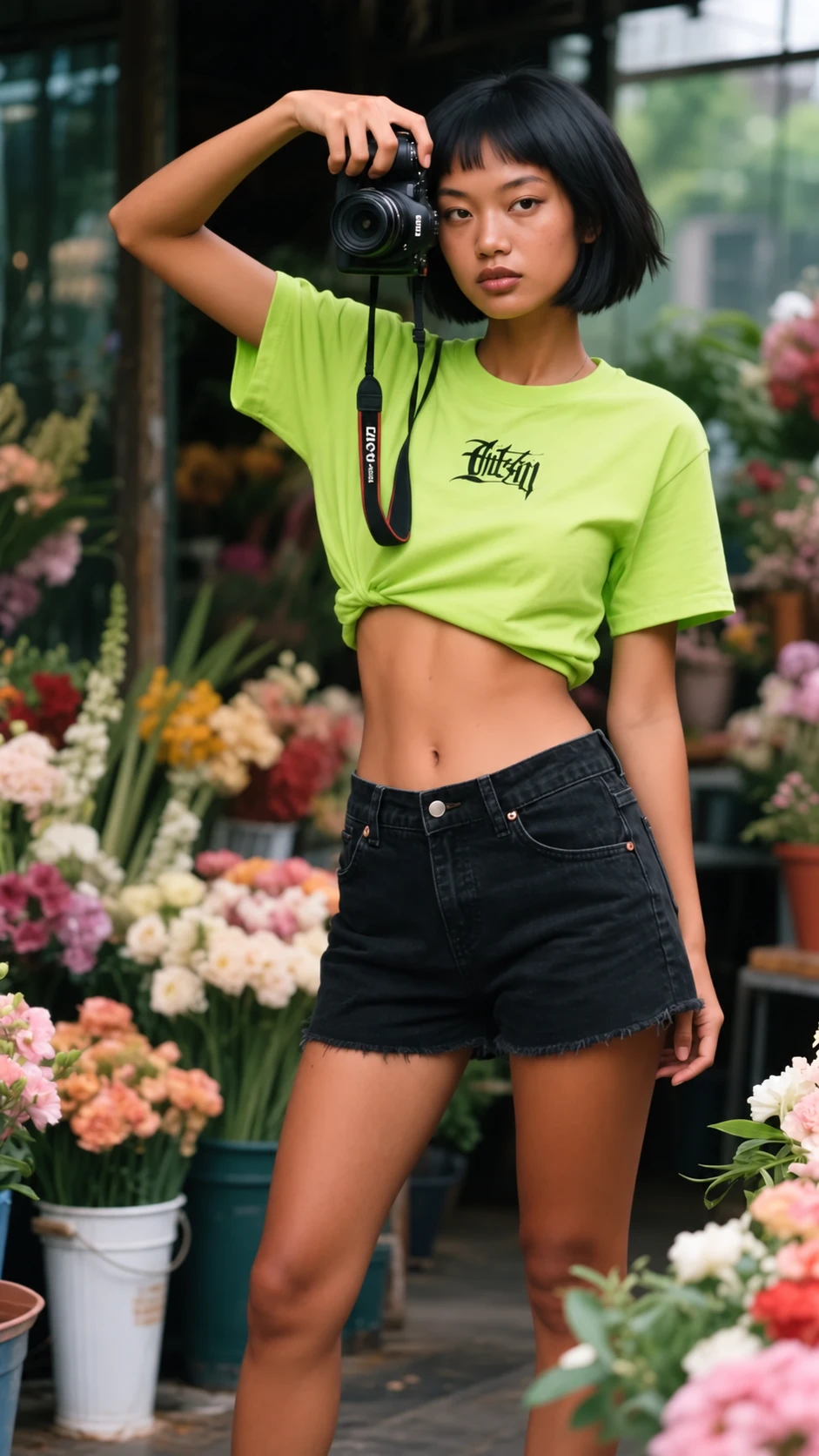
What changed
The raised arm lowers to hold a strap near the shoulder. The green shirt, black shorts, bob haircut, and flower-shop setting remain recognizable.
What to check
The camera held near the head in the source is no longer visible. A strap remains, while the shirt lettering and folds change. Props need checking as well as body position.
Looking over the shoulder
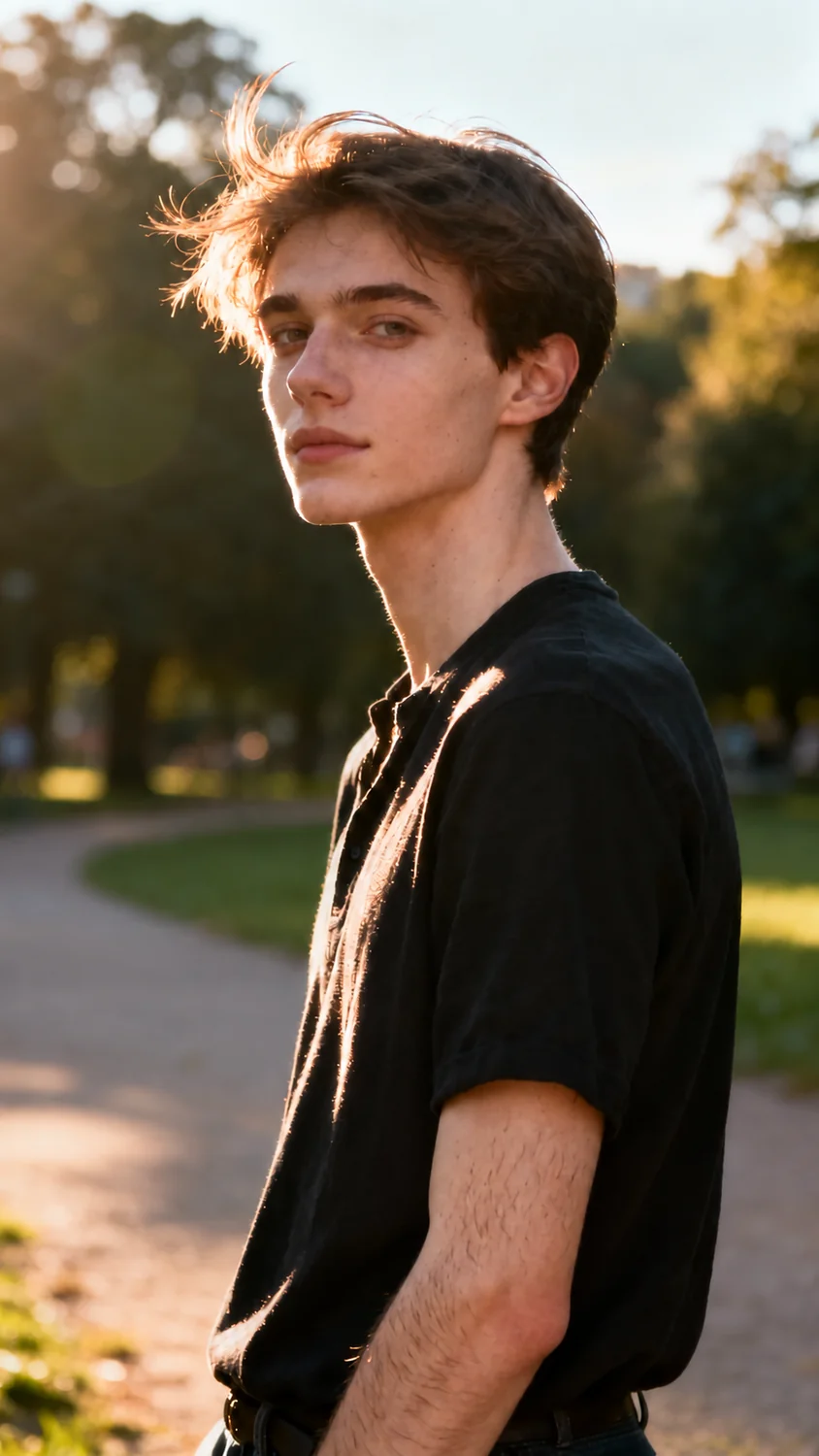
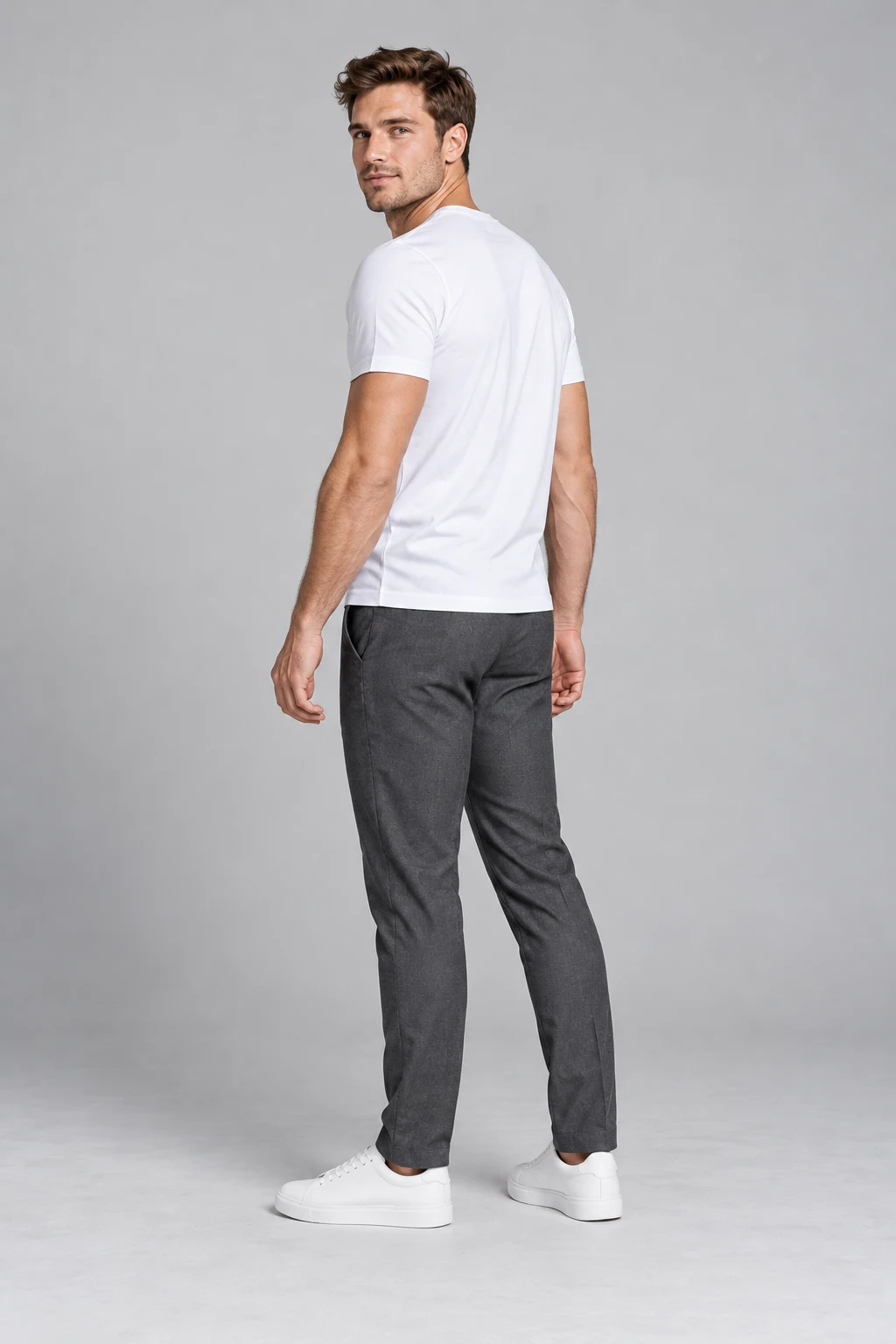
Profile-photo idea: compare shoulder angles while keeping the face turned toward the camera.
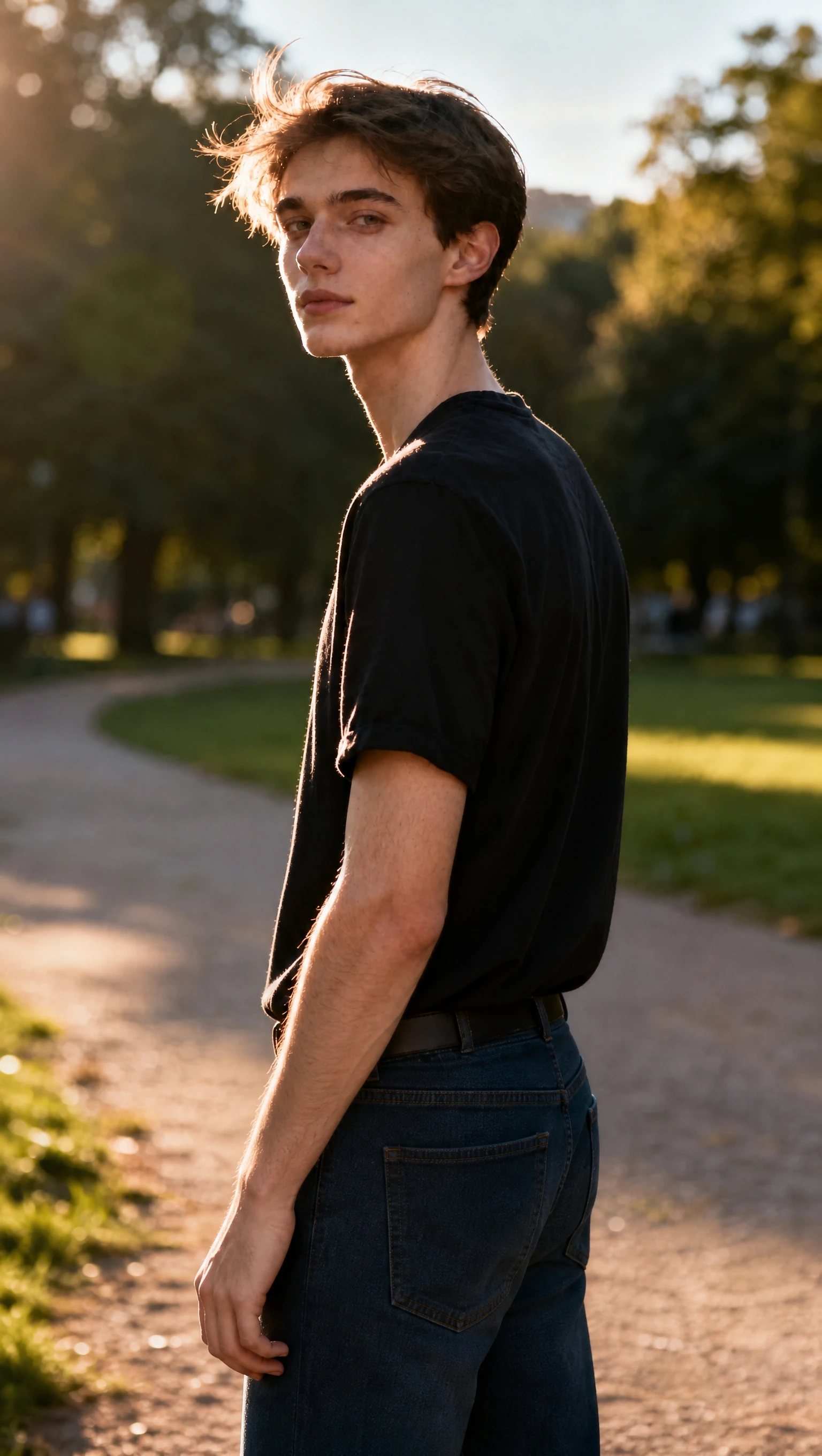
What changed
The torso turns farther away while the head looks back toward the camera. The black shirt and warm, backlit park setting remain recognizable.
What to check
The source already has a turned pose, so the adjustment is relatively subtle. The full-body reference is interpreted within a tighter crop; its foot placement is not shown.
One hand holding the other arm
Outerwear photo: compare a hand at the waist with an arm held across the torso.
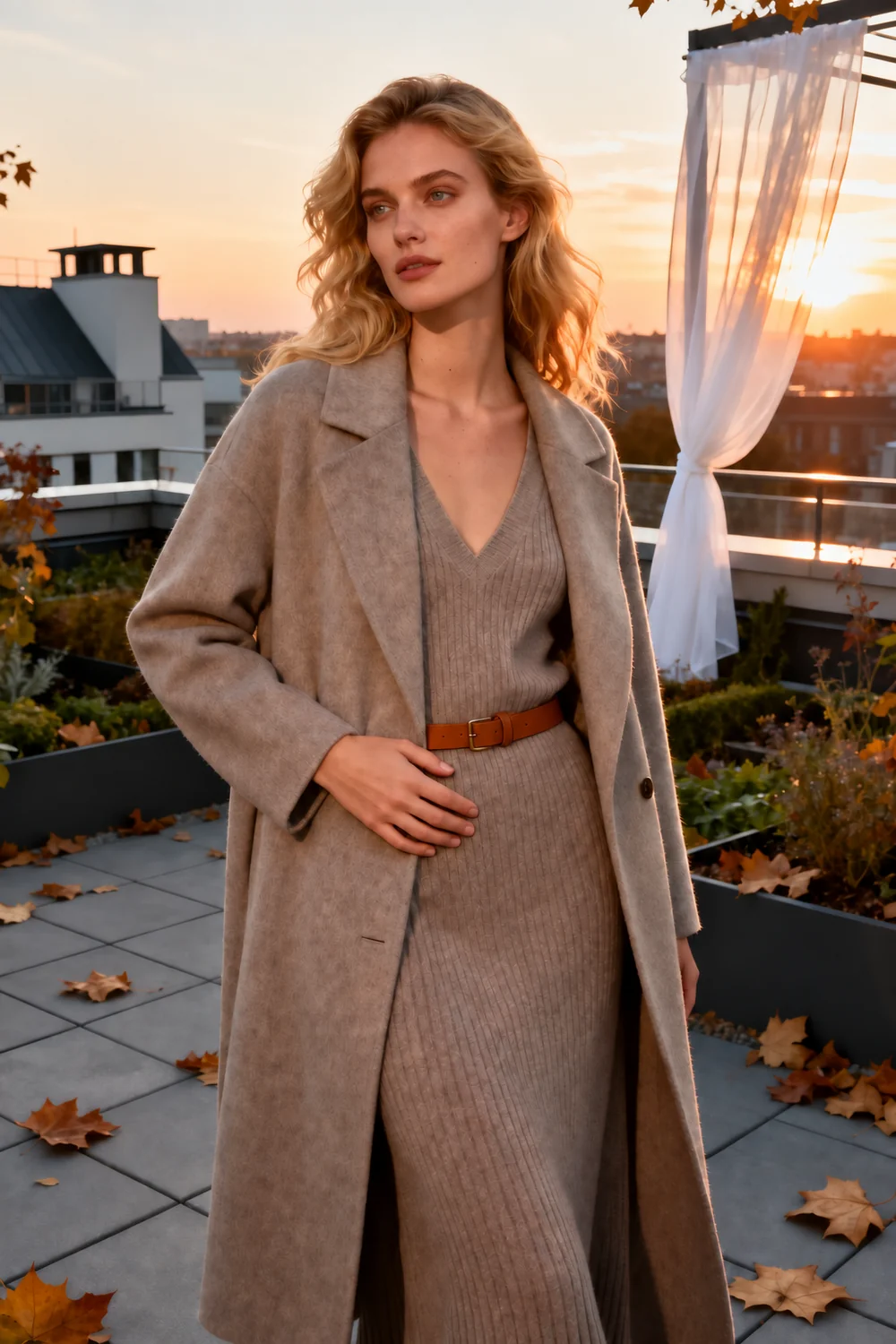
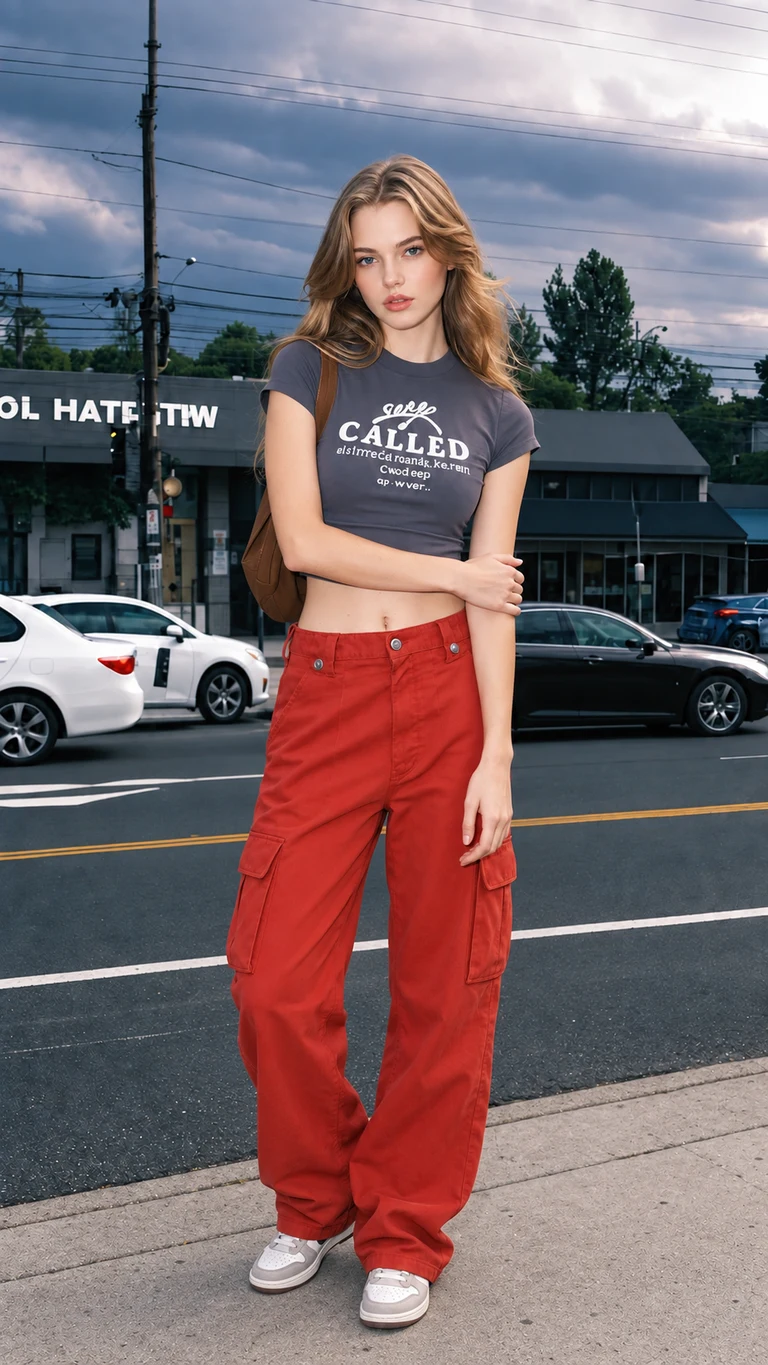

What changed
One arm now crosses the torso to hold the opposite arm, replacing the hand-at-waist pose. The long coat, knit outfit, and sunset rooftop remain recognizable.
What to check
The output changes from a portrait crop to a square composition. The belt, coat folds, and rooftop details differ from the source, even though the broad scene is retained.
Walking with a shoulder bag
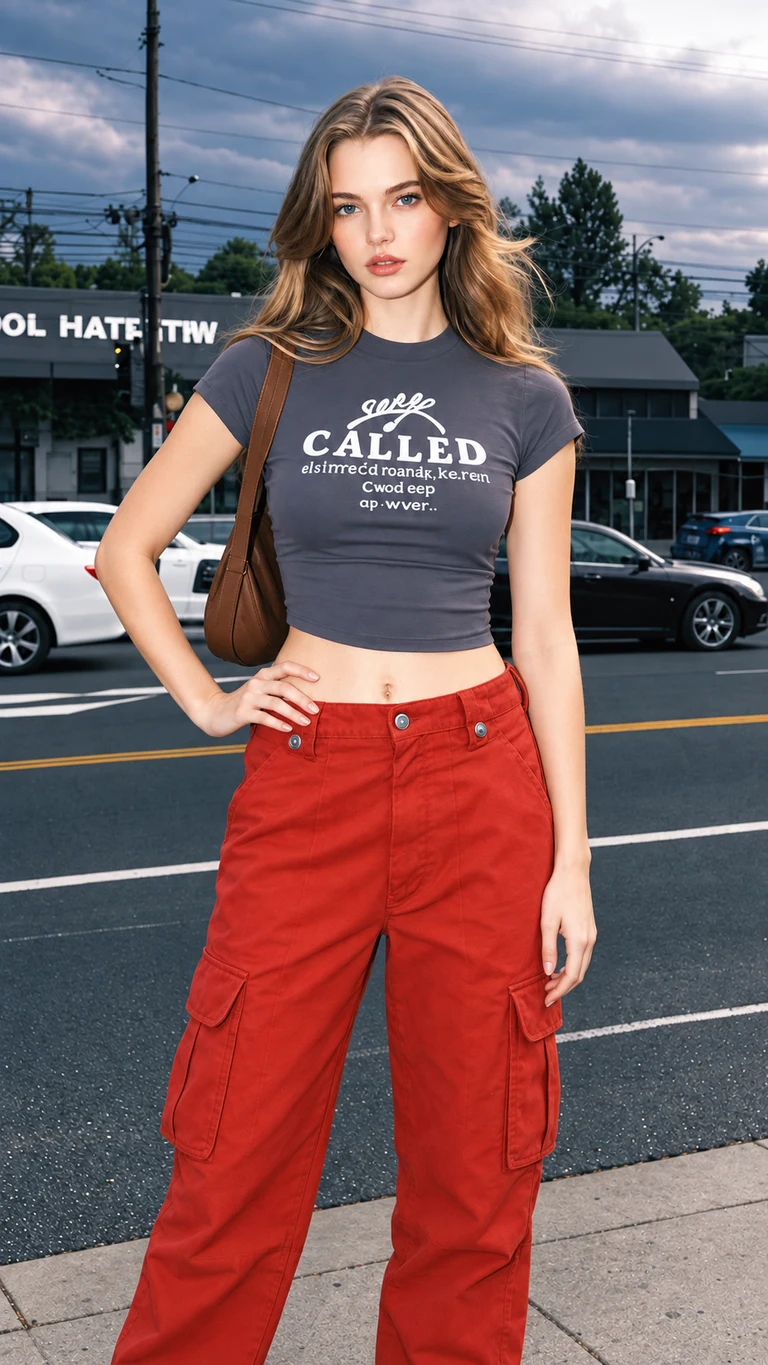
Casual street portrait: explore carrying a bag on the shoulder during a walking pose.
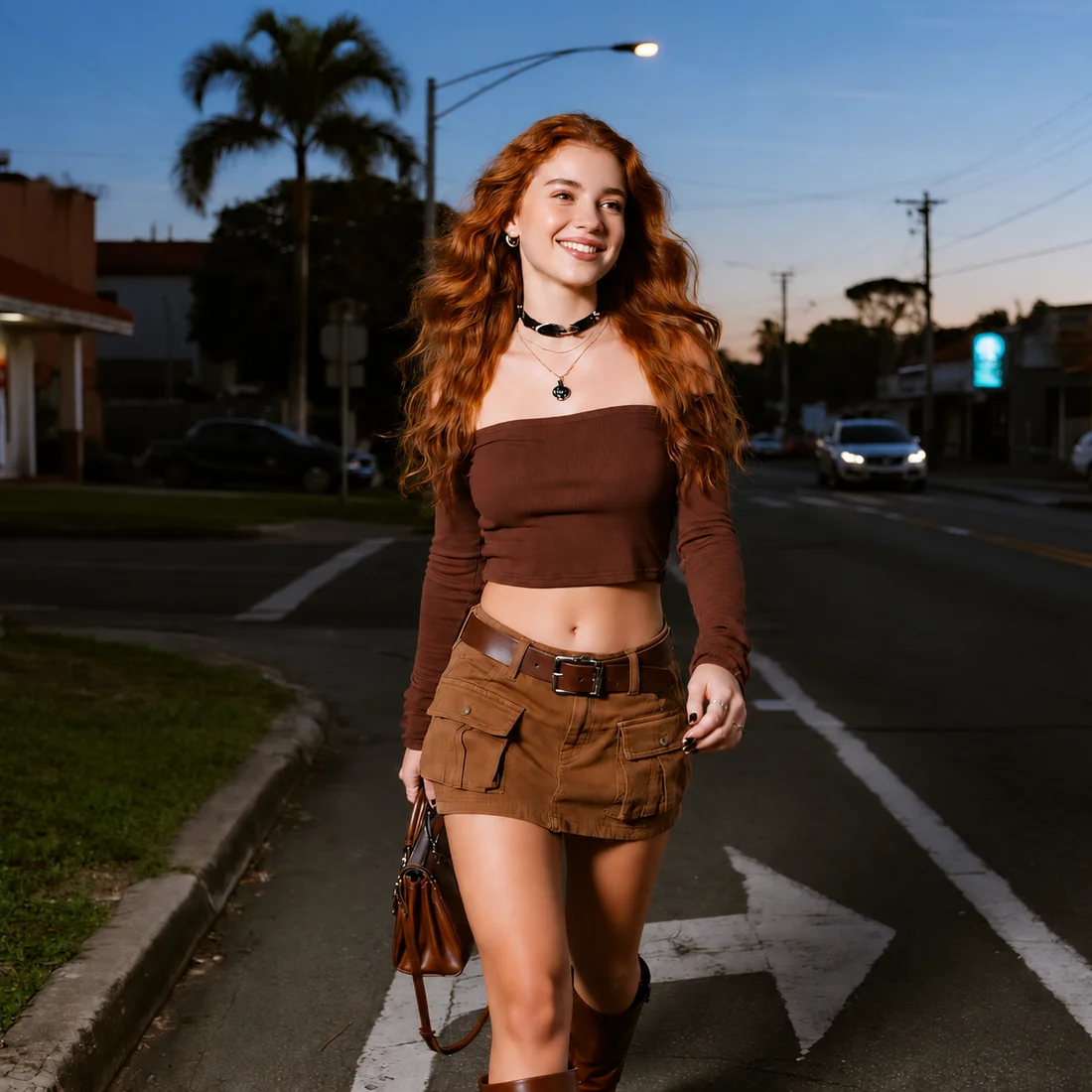
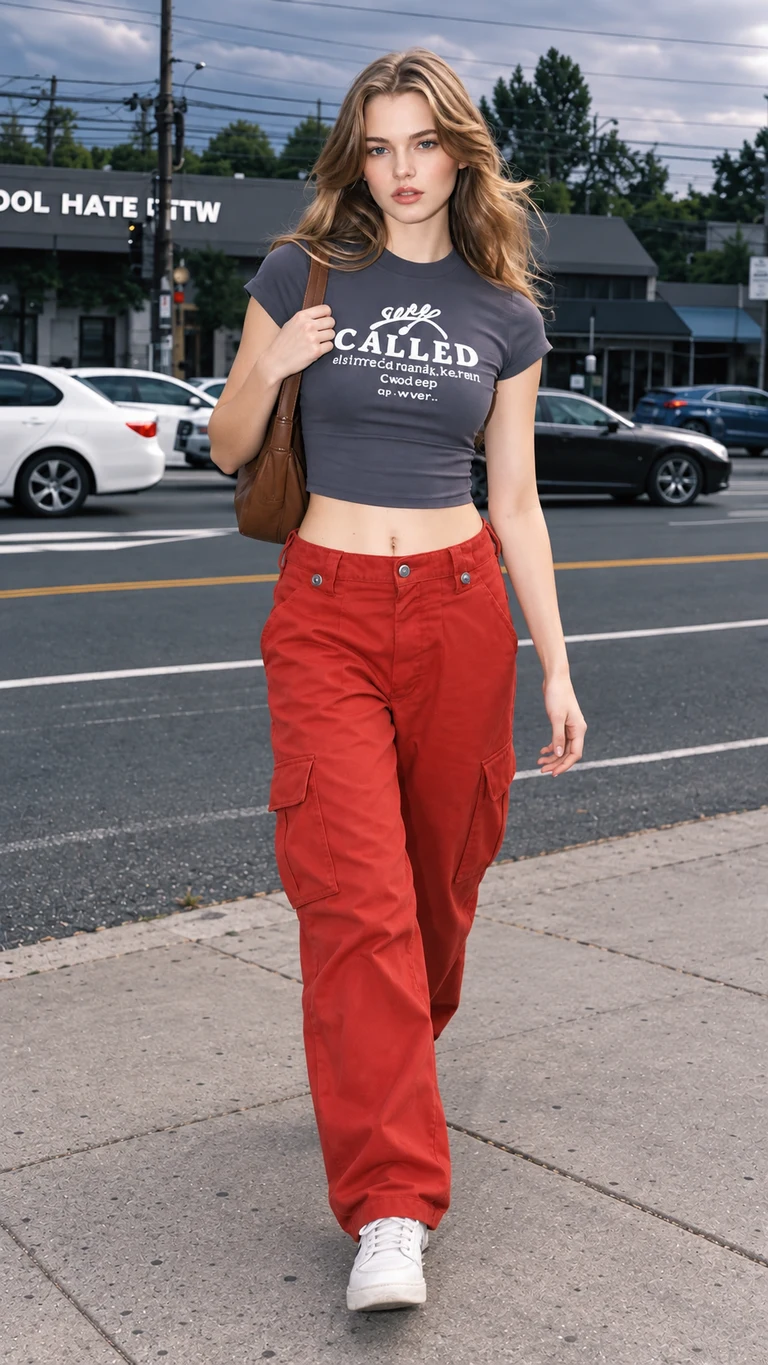
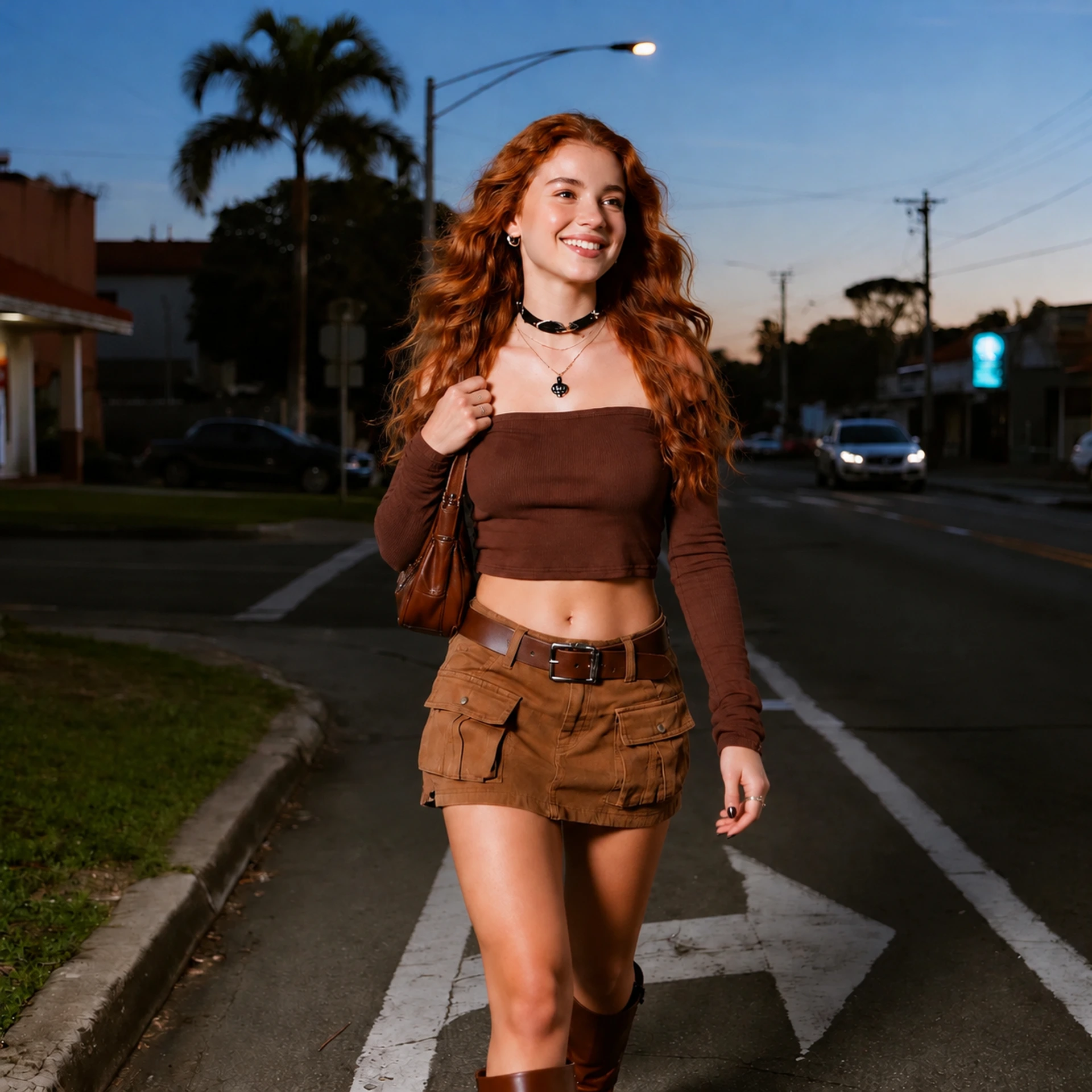
What changed
The walking motion remains, while the bag moves from a lowered hand to the shoulder and the hand rises to hold its strap. The brown outfit and dusk street setting remain recognizable.
What to check
The framing and road markings change, and the reference’s full-body step is not reproduced exactly. Compare the bag, fingers, and leg position rather than assuming an exact pose copy.
Our team tested these five examples using the same prompt, a library pose reference, and 2K / Medium settings. Each example shows the result from a single generation, rather than a selection from repeated attempts. Generation usually took about one minute in these tests. The team supplied the generated results without post-generation retouching; display copies are converted to WebP for the website.
Test results supplied on October 14, 2026. These examples show pose edits of portrait images. Results are individual examples, not a success-rate benchmark or a guarantee of identical faces, clothing, backgrounds, or framing. Open any image to inspect it in full.
Evaluation criteria: six checks for a usable edit
Inspect each result at full size using these six criteria. The case notes describe visible changes rather than assigning a single overall score.
Pose accuracy
does the requested hand position, shoulder angle, or stance appear?
Facial likeness
are visible facial features, hair, and expression consistent enough for the intended use?
Anatomy and props
inspect fingers, wrists, arm connections, straps, and held objects.
Clothing and scene
compare garment details, accessories, lighting, and background objects.
Framing
compare the output crop and aspect ratio with the source and intended layout.
Time and cost
record elapsed time, credits consumed, and any additional attempts.
Evaluation method: inspect each change against its source
Our team used one shared instruction and a different library pose reference for each source, with one generation per case at 2K / Medium. The reported typical duration was about one minute; this is a team estimate, not a timed latency distribution.
The review compares source, reference, and output visually, recording the intended movement and changes elsewhere in the image. The results below are case observations. For your own comparison, use the same source photo and pose direction, then inspect each output at full size.
Evaluation results: findings from five test cases
Arm placement & crop
Hand on hip and opposite-arm hold: the requested arm arrangements are visible. Both results also change from portrait framing to a square output. This supports the observed movement, but not a claim that framing is always preserved.
Accessories & scene
Shoulder strap and walking: hand and bag positions change. The flower-shop camera is no longer visible, while shirt lettering and road details differ in the respective outputs. Accessory edits require closer inspection than a general impression of similarity.
Shoulder angle
Over-the-shoulder portrait: the torso turns farther away while the face looks back. The source was already turned, and the result does not reproduce the full-body reference’s feet. This is evidence of a limited adjustment, not a complete full-body transfer.
Evidence limits
Aragon’s official page describes preset and written pose directions. The five image sets above show AI Pose Changer’s actual results. These sources answer different questions: the product description explains the available workflow, while the test images show the changes in each recorded edit.
Problem analysis: where the examples need scrutiny
Framing changes are a practical issue for fixed layouts. The two square outputs may need a different placement from their portrait sources. An output setting or preservation instruction alone is not enough to establish the actual downloaded dimensions.
Props and small details can be reinterpreted alongside the body. The missing camera and changed lettering are visible symptoms; these images do not establish the internal model cause. If a camera, logo, or garment detail is essential, examine that element before accepting the edit.
Results depend on the source and requested movement. For recurring work, repeat a representative edit and compare the face, crop, accessories, and clothing each time. Record which results meet your intended use.
Evaluation conclusion: fit the evidence to your use case
AI Pose Changer is a relevant option when you want to supply an explicit visual reference and inspect a specific pose variation. The five cases show visible movements and also changes to crop, props, and scene details. They do not support a guarantee of exact preservation.
Aragon offers a preset-and-text workflow according to its official product page. AI Pose Changer also supports an uploaded visual reference. Choose the input method that fits your task, then assess the resulting photo against your requirements.
For practical use, define one movement and the details that cannot change, inspect the complete output, and account for repeat attempts. Our editor and pricing details show the current input and credit workflow.
AI Pose Changer vs Aragon: FAQ
What do the five test cases demonstrate?
They show AI Pose Changer edits using a source portrait and a pose reference, with observations about movement, framing, clothing, and props. Aragon’s features are described separately from its official documentation.
Are Aragon headshot package prices relevant here?
No. This page compares the Pose Editor for existing images, not the separate headshot-generation packages.
How should I assess facial preservation?
Compare the full-size result with your original, especially the eyes, mouth, hair, expression, and head angle. Decide whether any differences are acceptable for your intended use.
Sources and review scope
Official sources were reviewed on October 14, 2026. The five AI Pose Changer case results were supplied by our team on October 14, 2026. Competitor feature descriptions are attributed to official product documentation. Prices and availability may change. This is our editorial comparison, not an endorsement by Aragon.
- Aragon official Pose Editor page — capabilities and advertised free account access, reviewed October 14, 2026.
- Aragon official homepage — product scope, reviewed October 14, 2026.
- AI Pose Changer team — five supplied source/reference/output sets, October 14, 2026.
See how our editor works and our pricing details before deciding.