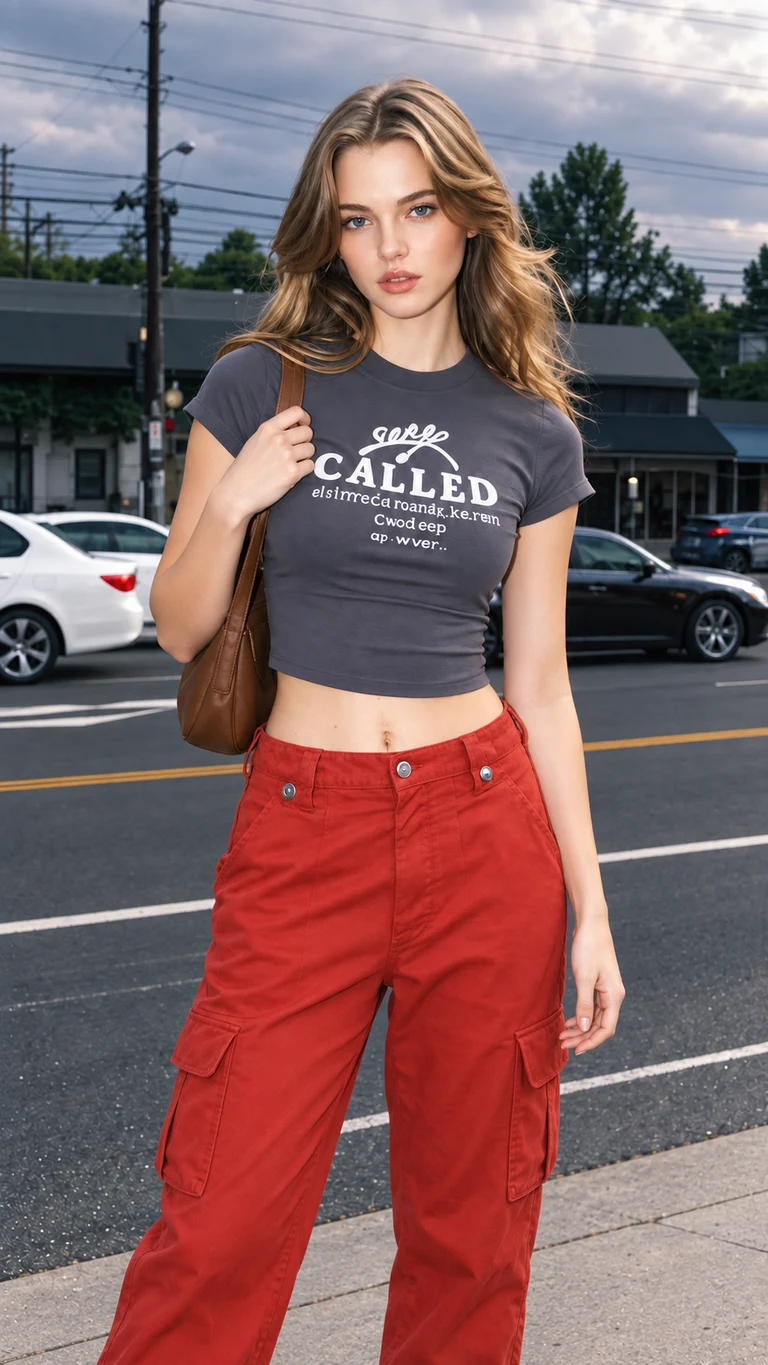
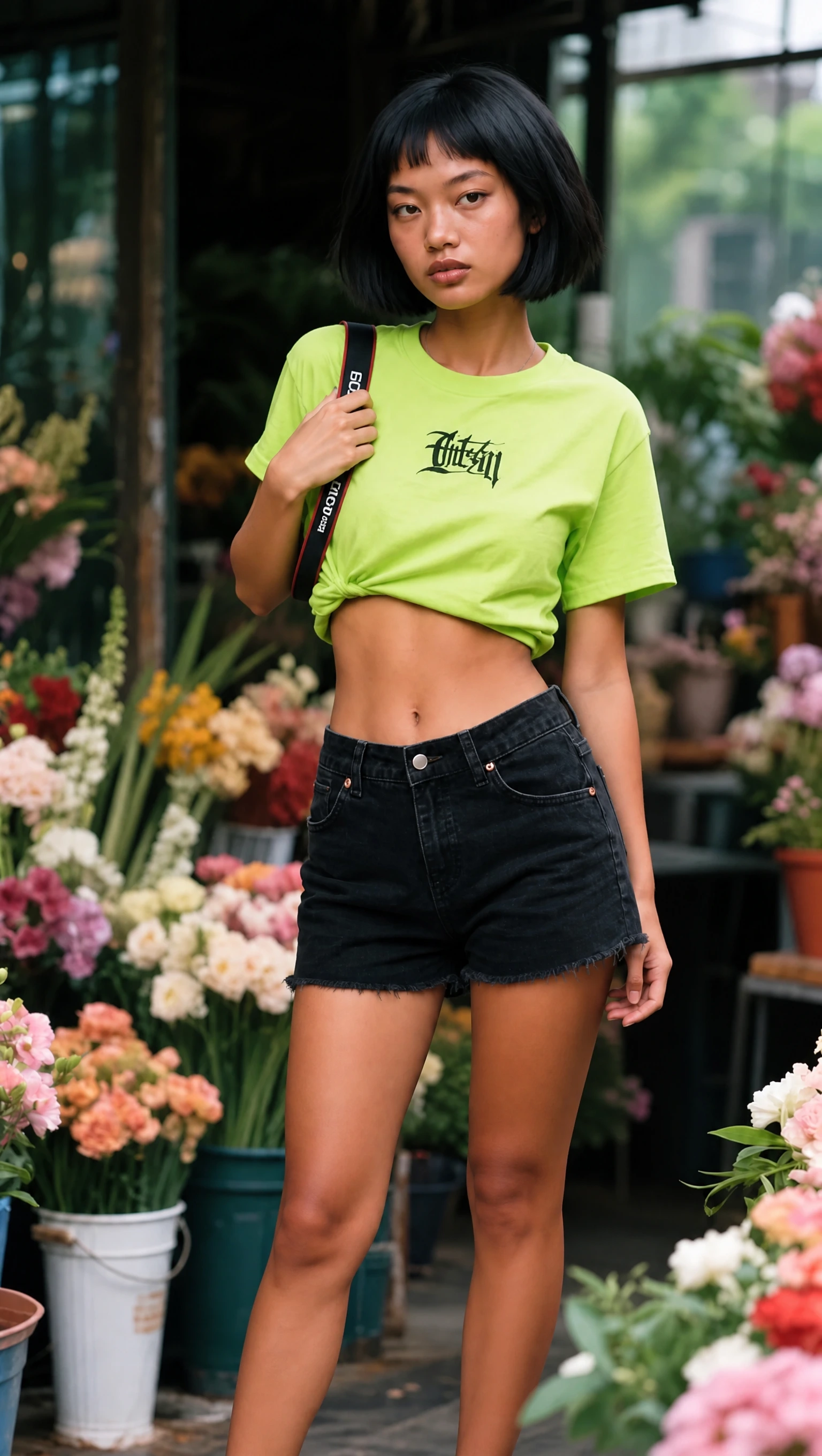
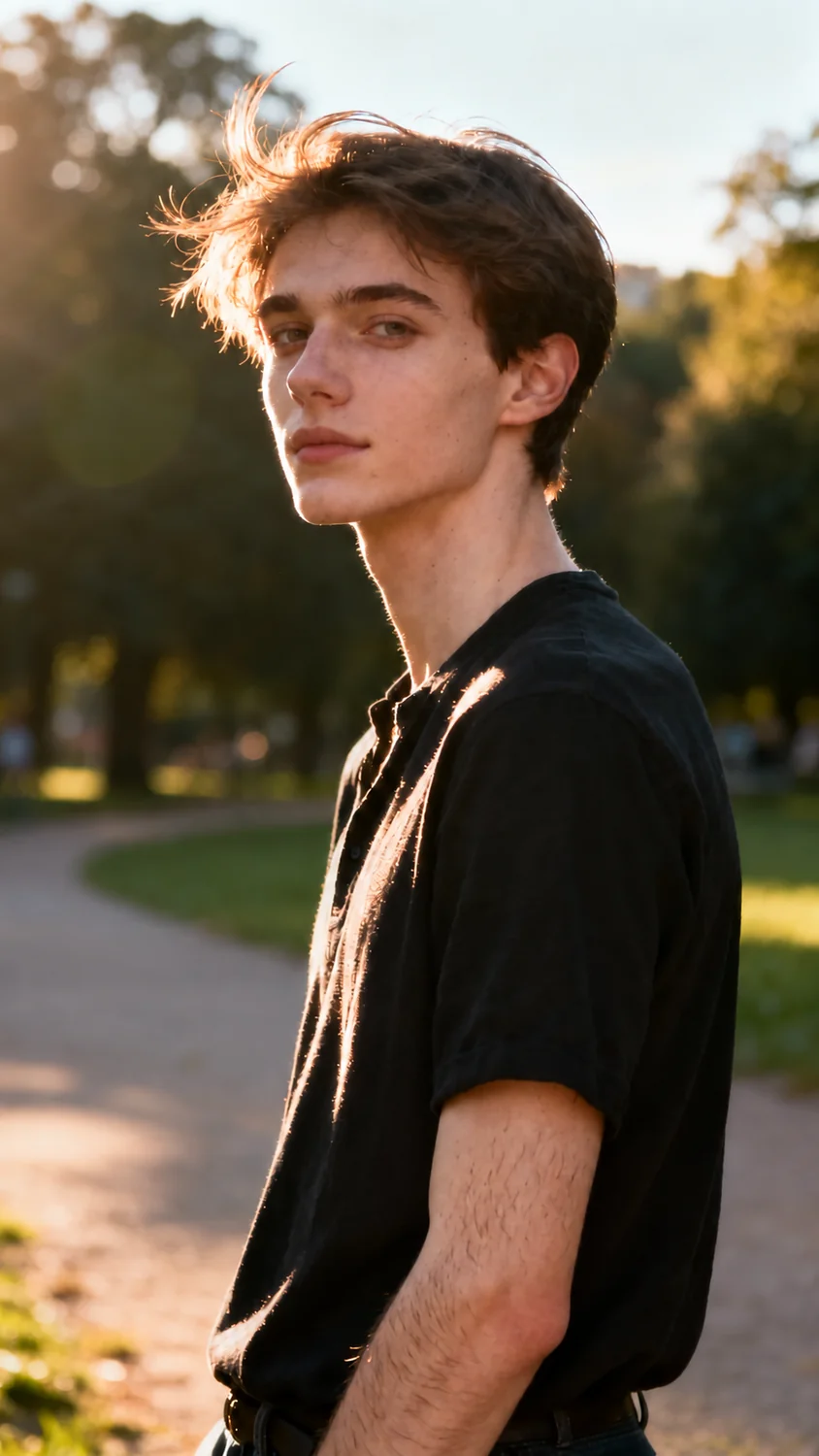
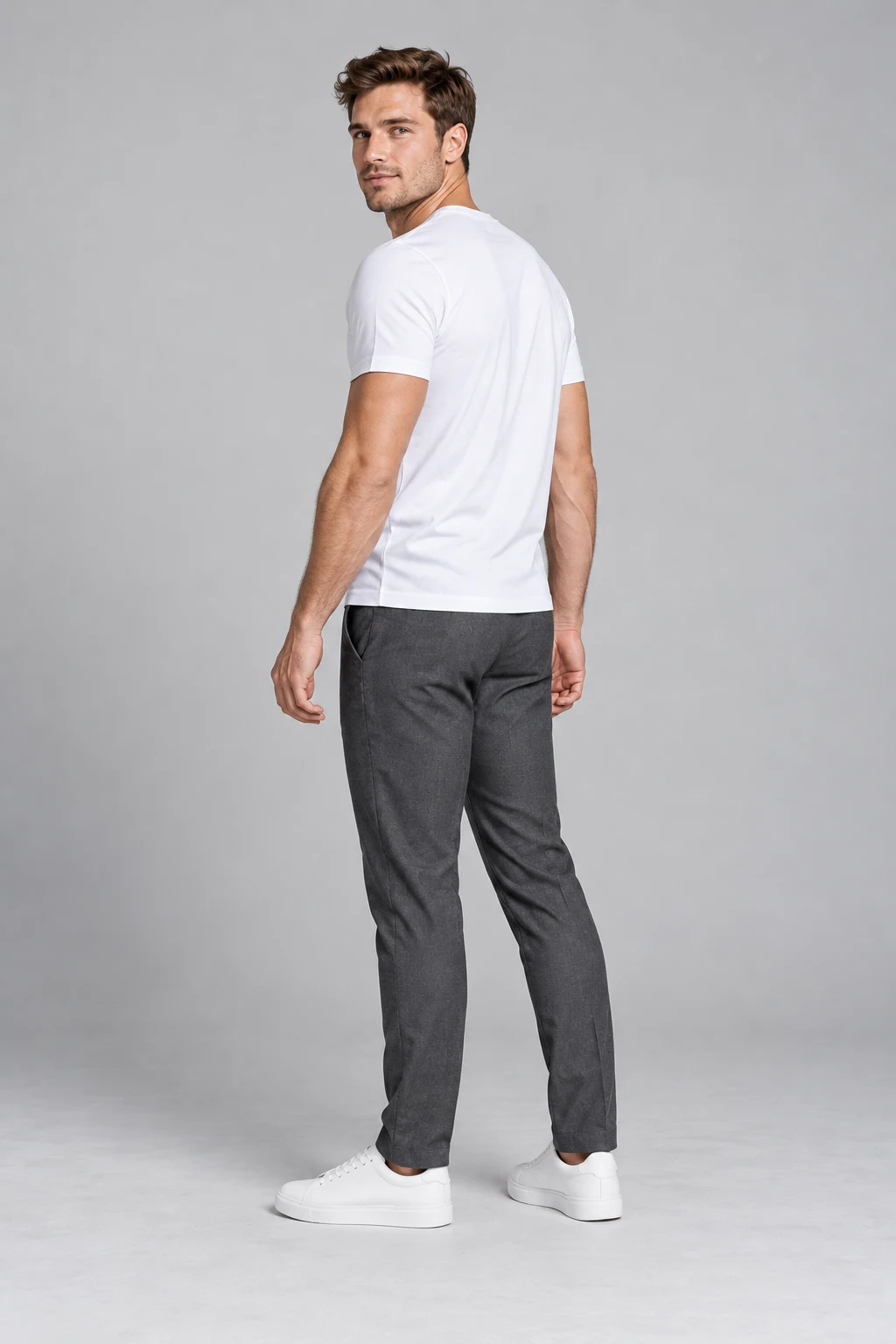
We inspected five pose edits beside their original portraits and pose references. Here is what changed, what stayed recognizable, and what needed a second look before saving the result.
Tested and reviewed by the AI Pose Changer team · Test records: · Updated
This is our own product review, based on five team tests.
TASK-FOCUSED EDITORIAL SCORE9.3/10
Team’s subjective weighted rating
What the score means
Best suited to visible arm and torso changes in a portrait you already like. These five results keep the subjects and broad settings recognizable, but props, clothing details, and crops can change. Our rating prioritizes pose execution; speed and price are assessed separately.
5 pose edits inspected2K Medium setting~1 min usual reported wait5 credits per generation
01 / Scope
How we tested AI Pose Changer
We used the five completed examples supplied by our team. Each combines one source portrait, one library pose reference, the same instruction, and a single generated result at 2K resolution and Medium quality. The displayed results were not selected from repeated attempts or retouched after generation. Website display copies were converted to WebP.
Input
Five supplied portrait images and five pose references. The source portraits in this set were AI-created; these examples do not test real phone photographs.
Request
Change the person’s pose using the second image only as a pose guide. Ask to preserve the identity, hairstyle, outfit, and background from the source.
Review
Compare visible body position, face and scene continuity, hands and props, image quality, and framing. We did not run repeated trials or a controlled competitor benchmark.
We inspected each original, reference, and output side by side, then checked hands, accessories, clothing, and crop at full size. The timing section distinguishes the team’s reported wait from recorded task data.
02 / Evidence
Five edits, inspected side by side
Open any image at full size. The middle image is a pose reference, not a second output. The right image is the actual generated result supplied for that request.
CASE 01
Hand on hip
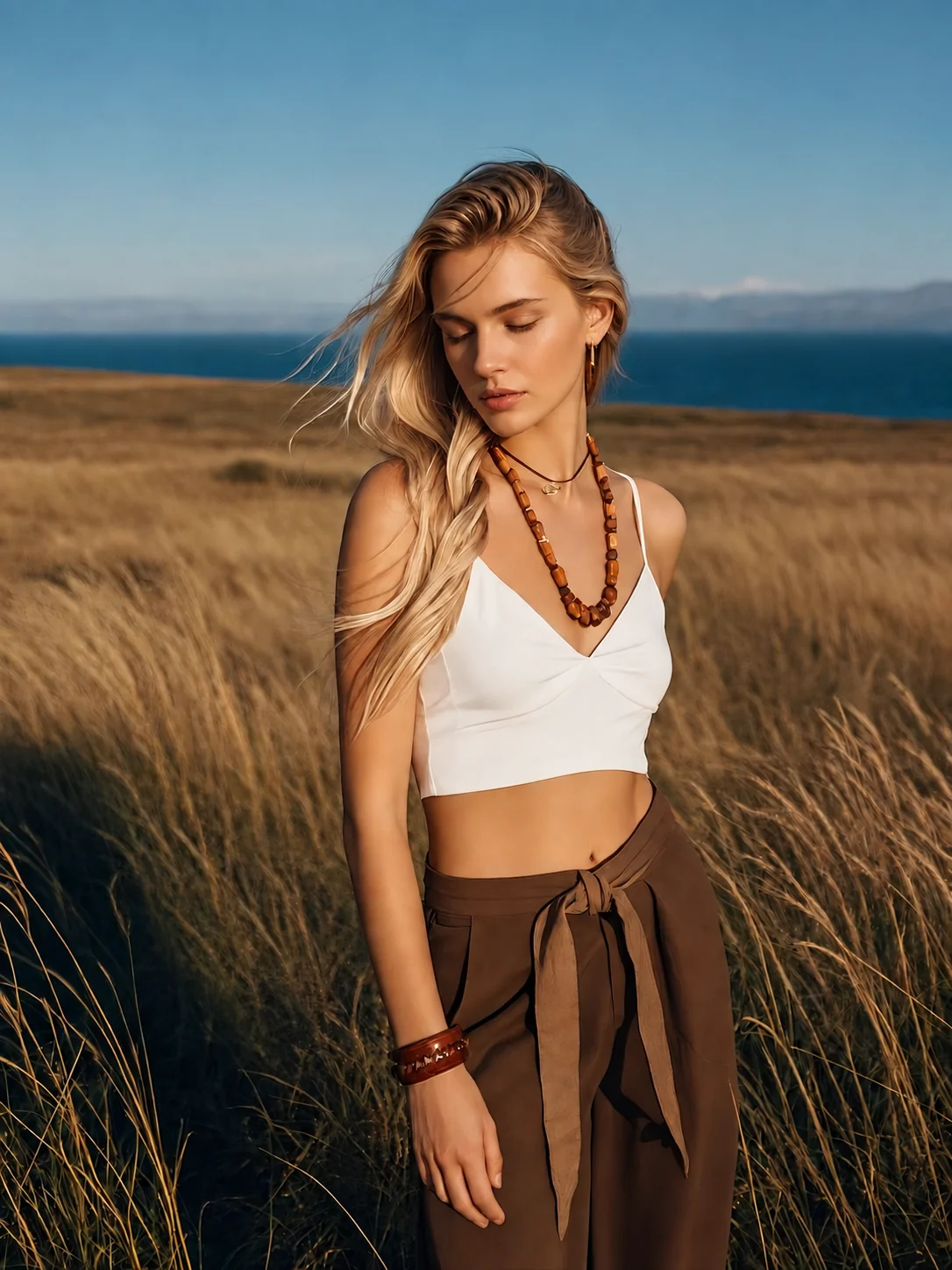
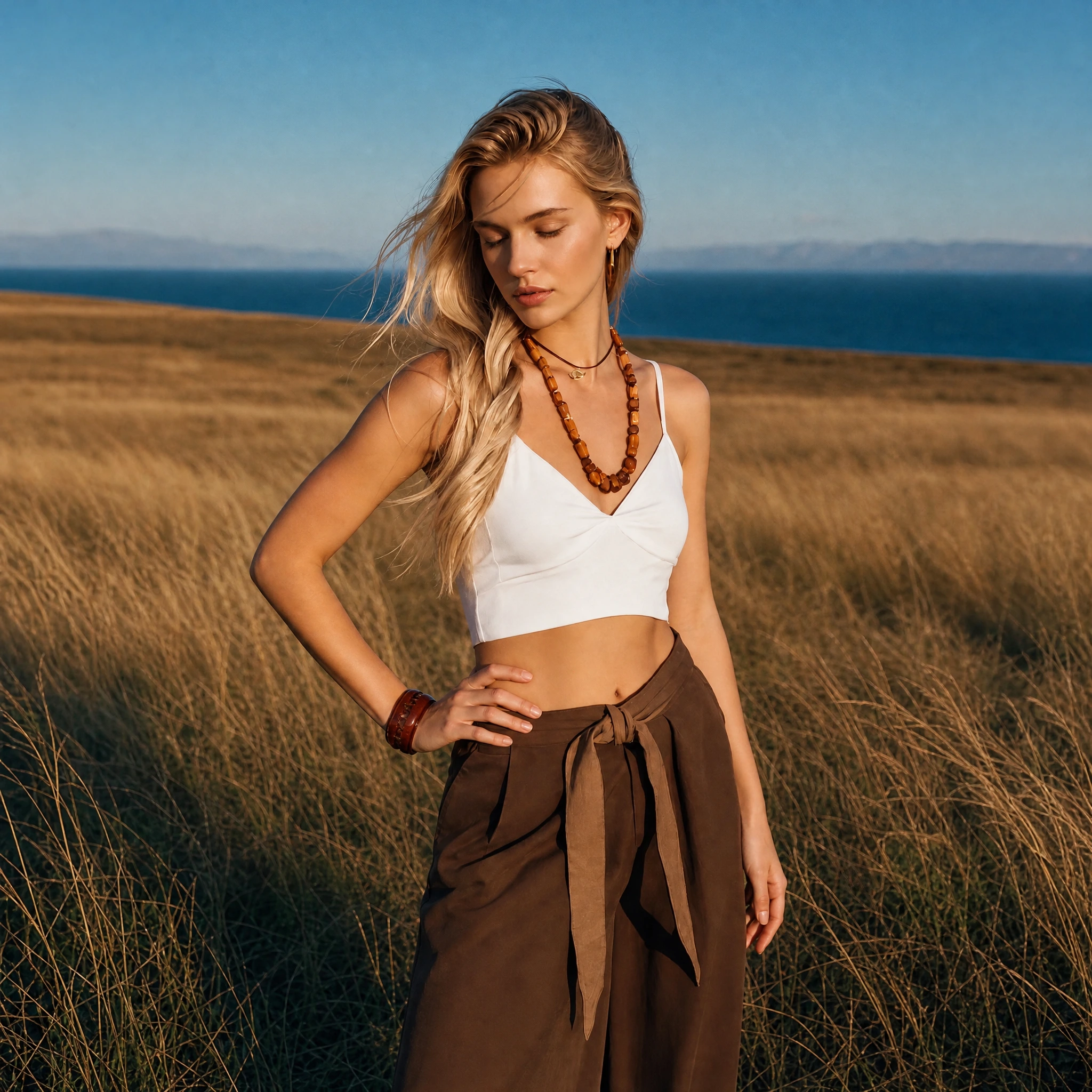
Outfit photo: compare a relaxed arm with a hand-on-hip pose that frames the waist.
Original portraitPose referenceGenerated result
What changed
The arm on the left of the image bends outward and the hand rests at the waist. The downward gaze, white top, brown trousers, and coastal grassland remain recognizable.
What to check
The output is square rather than the original portrait format. Framing, clothing folds, and background details also change; this is not an edit of the arm alone.
Useful for: Outfit portraits with a clearer hand-at-waist silhouette.
CASE 02
Holding a shoulder strap
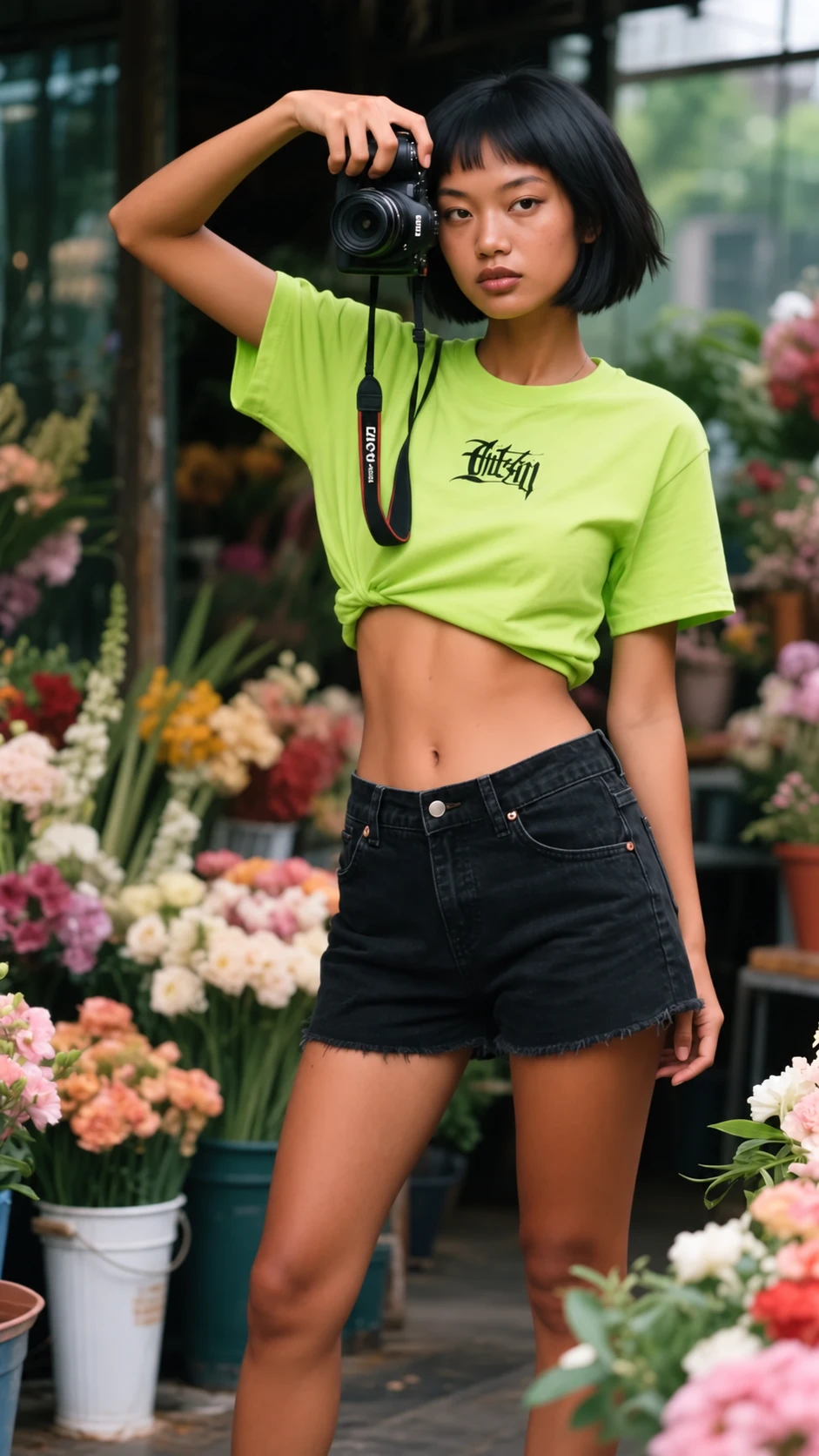
Portrait with an accessory: explore lowering a raised arm to a shoulder strap, and see how the prop changes.
Original portraitPose referenceGenerated result
What changed
The raised arm lowers to hold a strap near the shoulder. The green shirt, black shorts, bob haircut, and flower-shop setting remain recognizable.
What to check
The camera held near the head in the source is no longer visible. A strap remains, while the shirt lettering and folds change. Props need checking as well as body position.
Useful for: A lower arm position; inspect any accessory you need to keep.
CASE 03
Looking over the shoulder
Profile-photo idea: compare shoulder angles while keeping the face turned toward the camera.
Original portraitPose referenceGenerated result
What changed
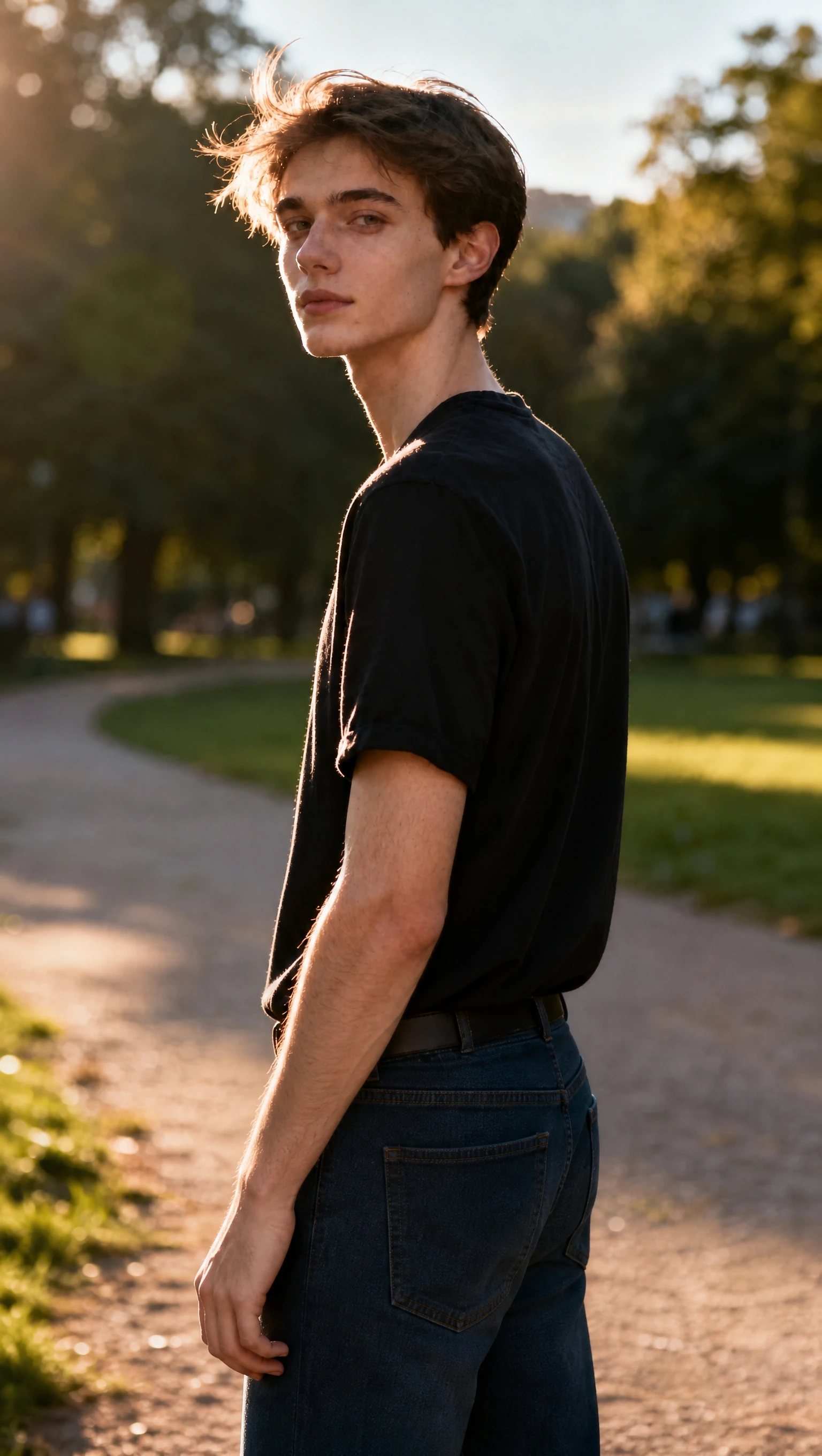
The torso turns farther away while the head looks back toward the camera. The black shirt and warm, backlit park setting remain recognizable.
What to check
The source already has a turned pose, so the adjustment is relatively subtle. The full-body reference is interpreted within a tighter crop; its foot placement is not shown.
Useful for: Small torso and shoulder adjustments in a cropped portrait.
CASE 04
One hand holding the other arm
Outerwear photo: compare a hand at the waist with an arm held across the torso.
Original portraitPose referenceGenerated result
What changed
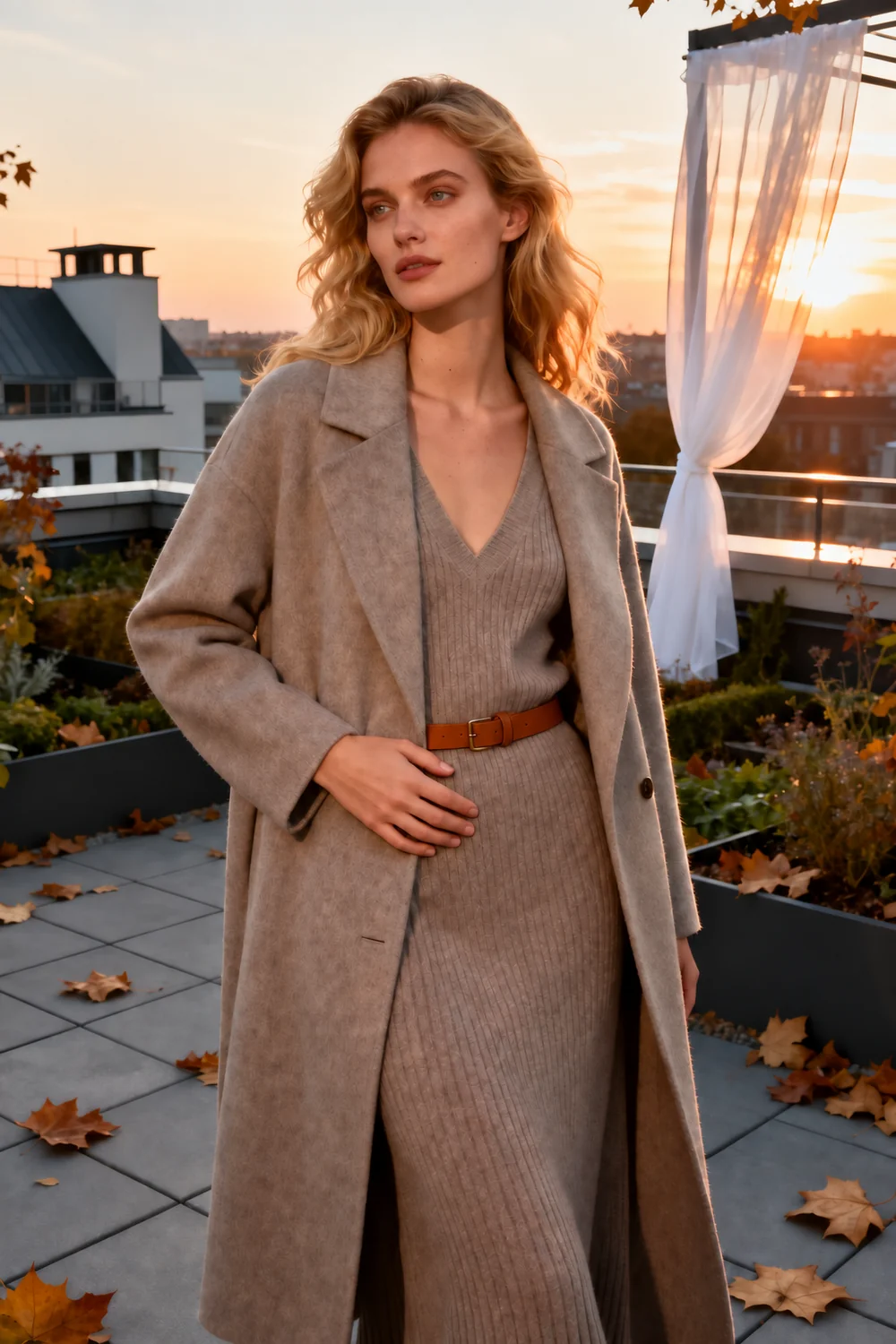
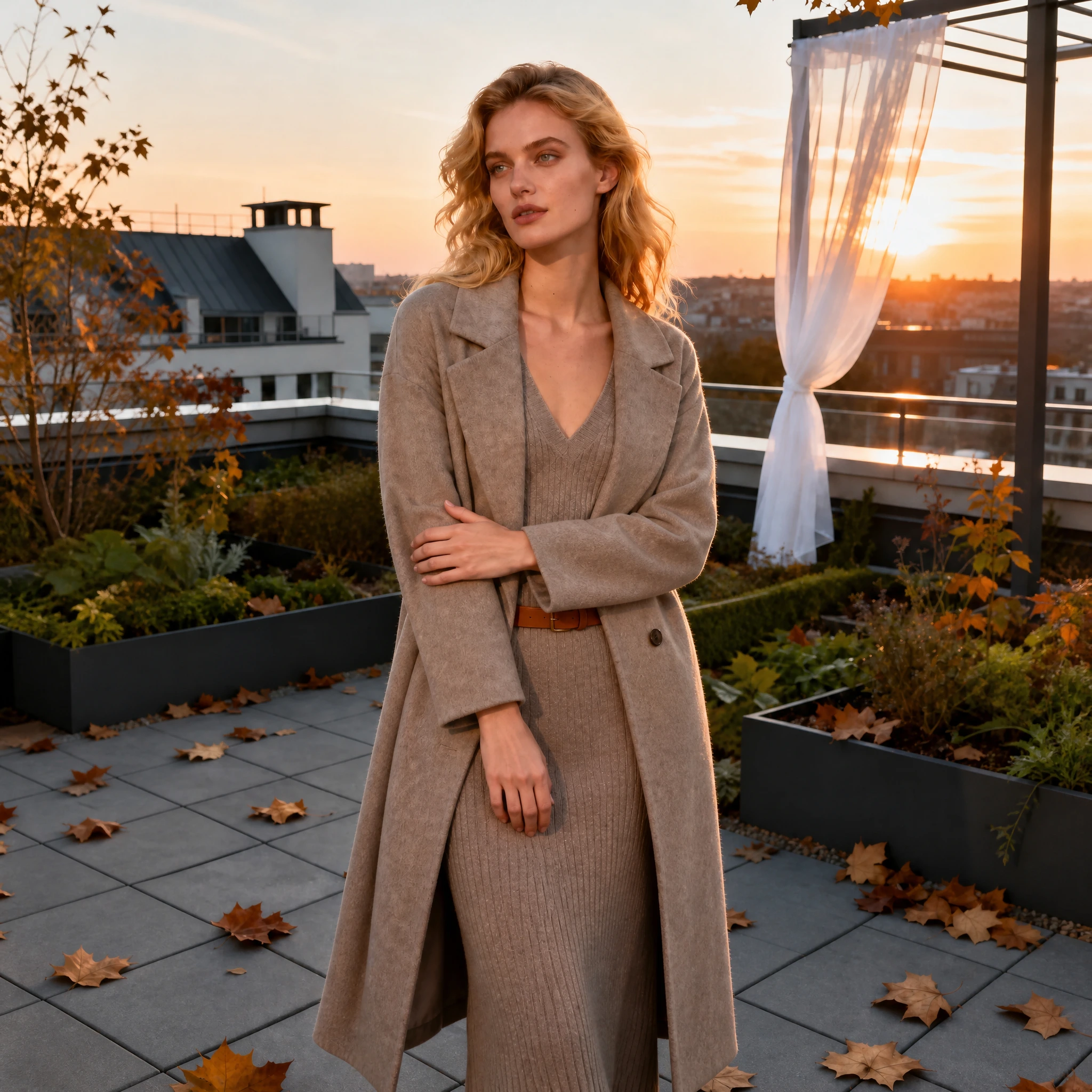
One arm now crosses the torso to hold the opposite arm, replacing the hand-at-waist pose. The long coat, knit outfit, and sunset rooftop remain recognizable.
What to check
The output changes from a portrait crop to a square composition. The belt, coat folds, and rooftop details differ from the source, even though the broad scene is retained.
Useful for: An alternative arm arrangement for an outfit portrait.
CASE 05
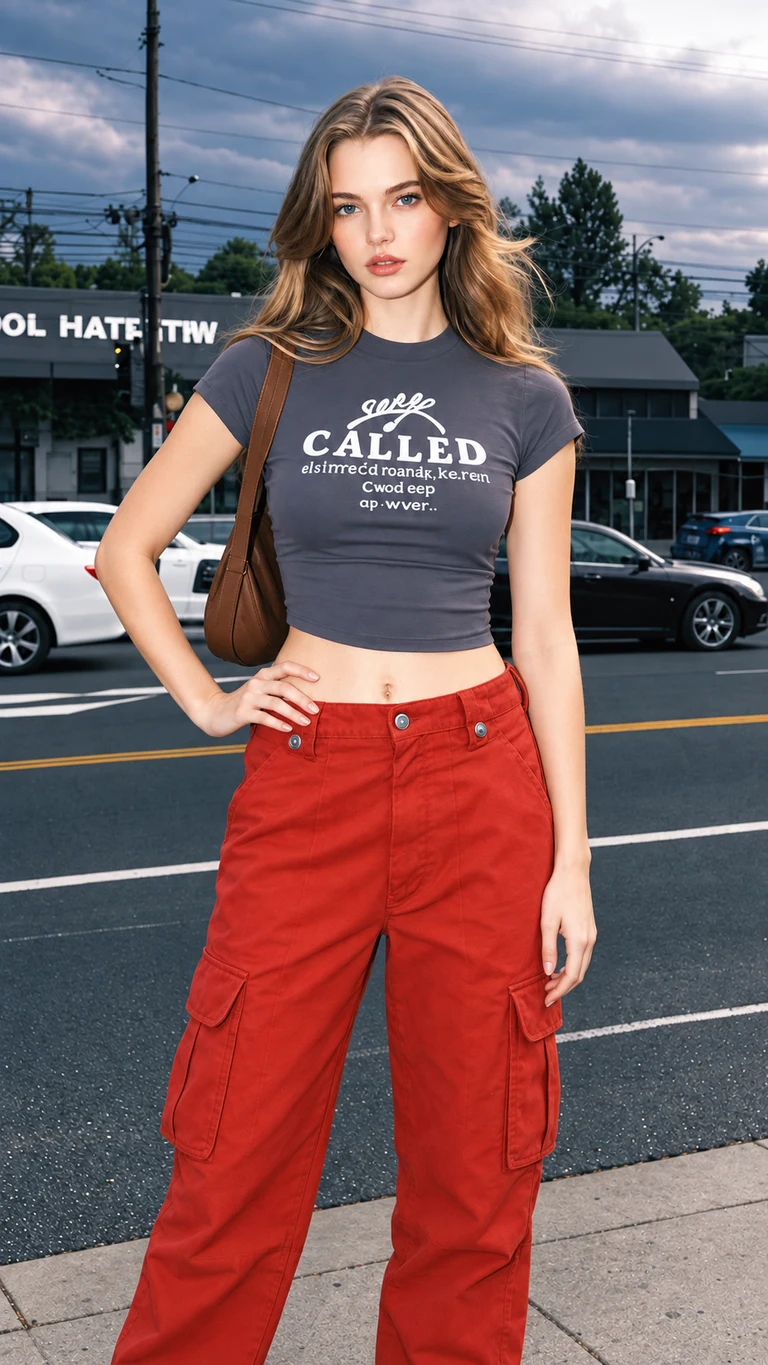
Walking with a shoulder bag
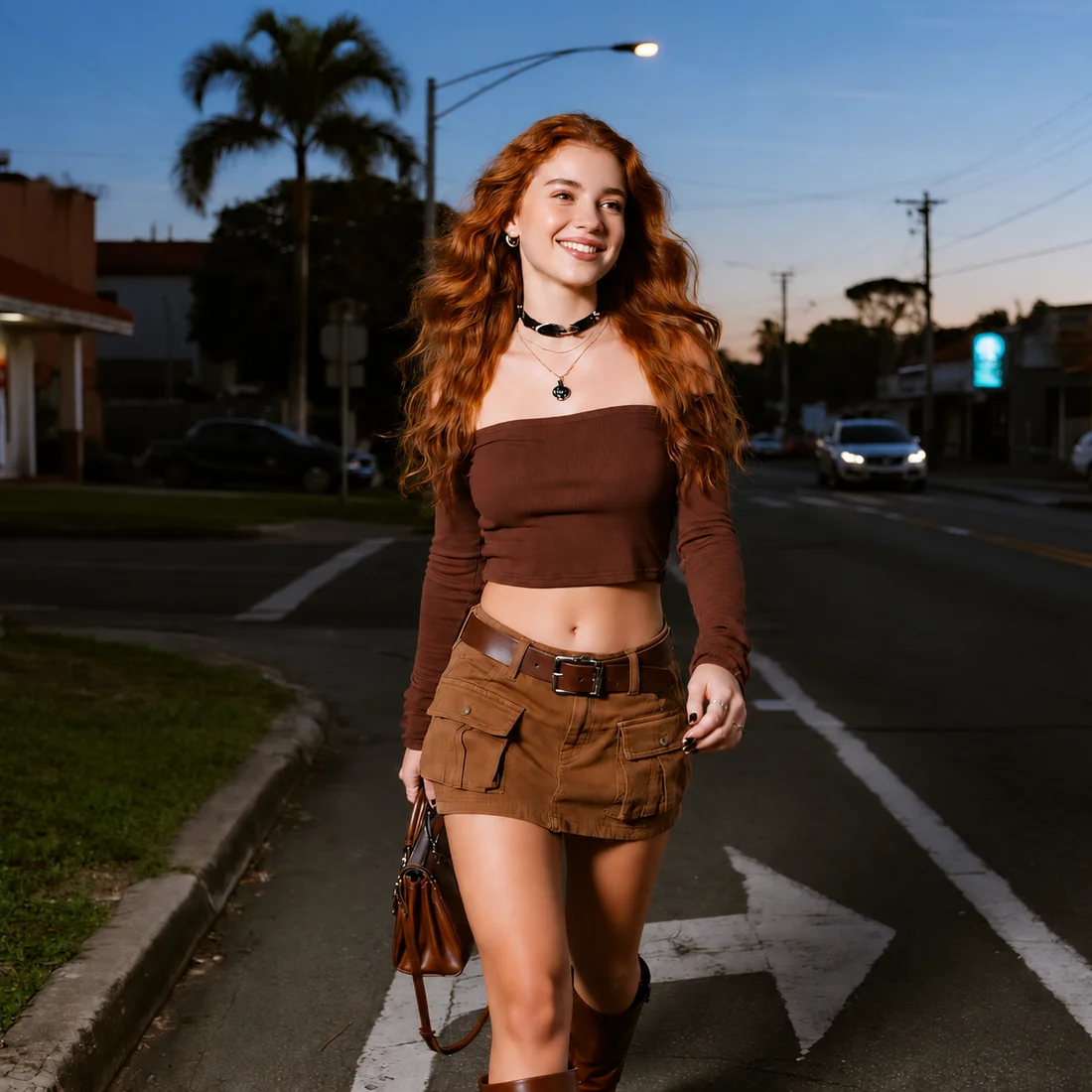
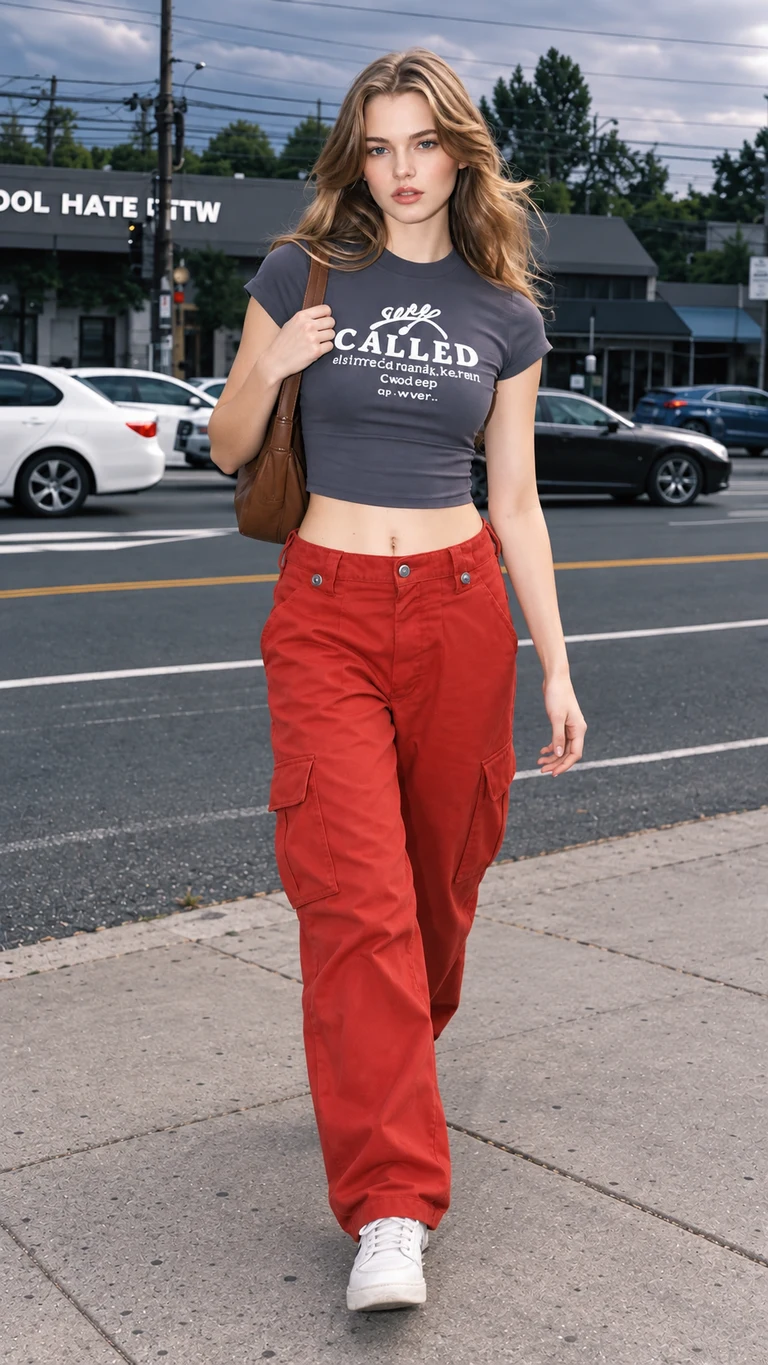
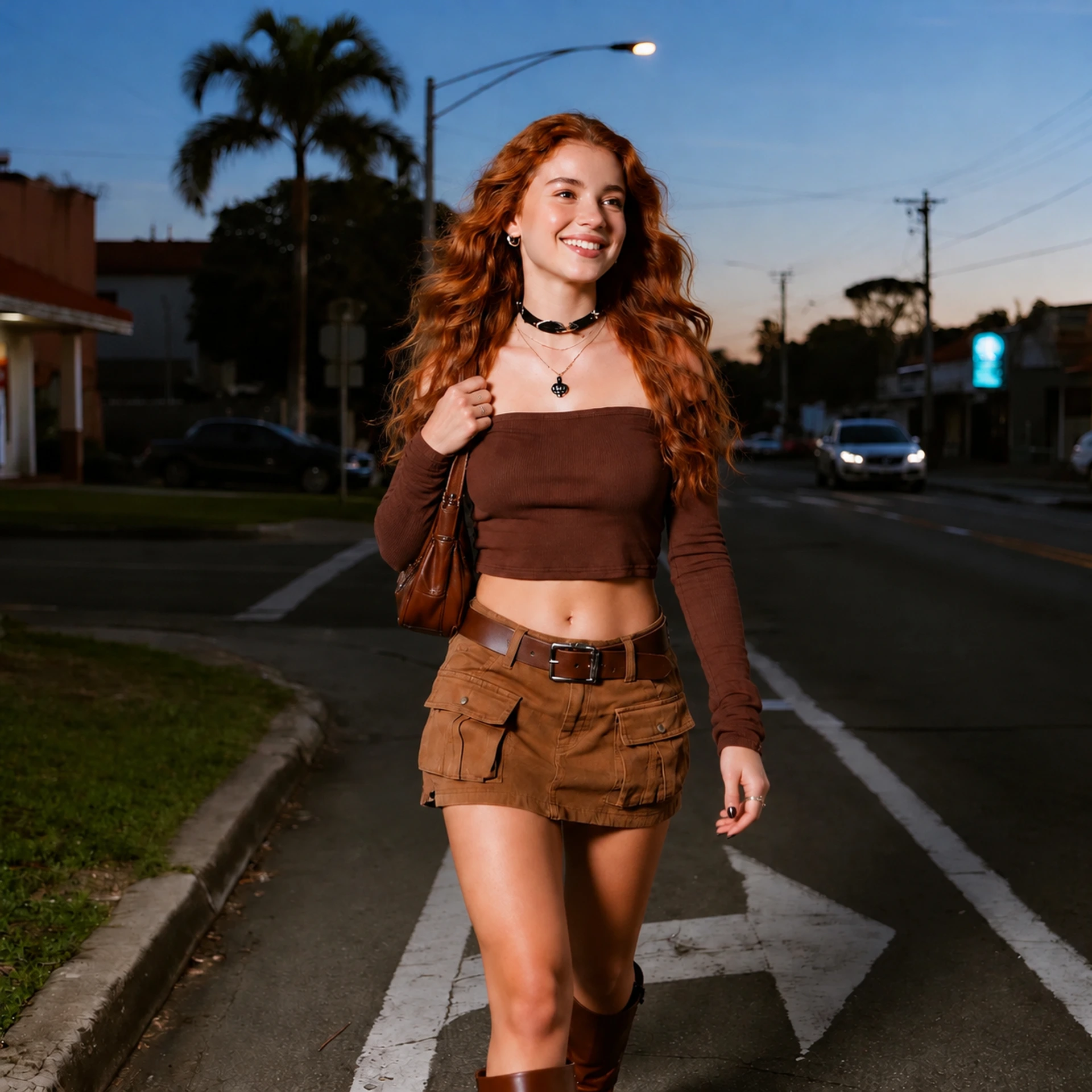
Casual street portrait: explore carrying a bag on the shoulder during a walking pose.
Original portraitPose referenceGenerated result
What changed
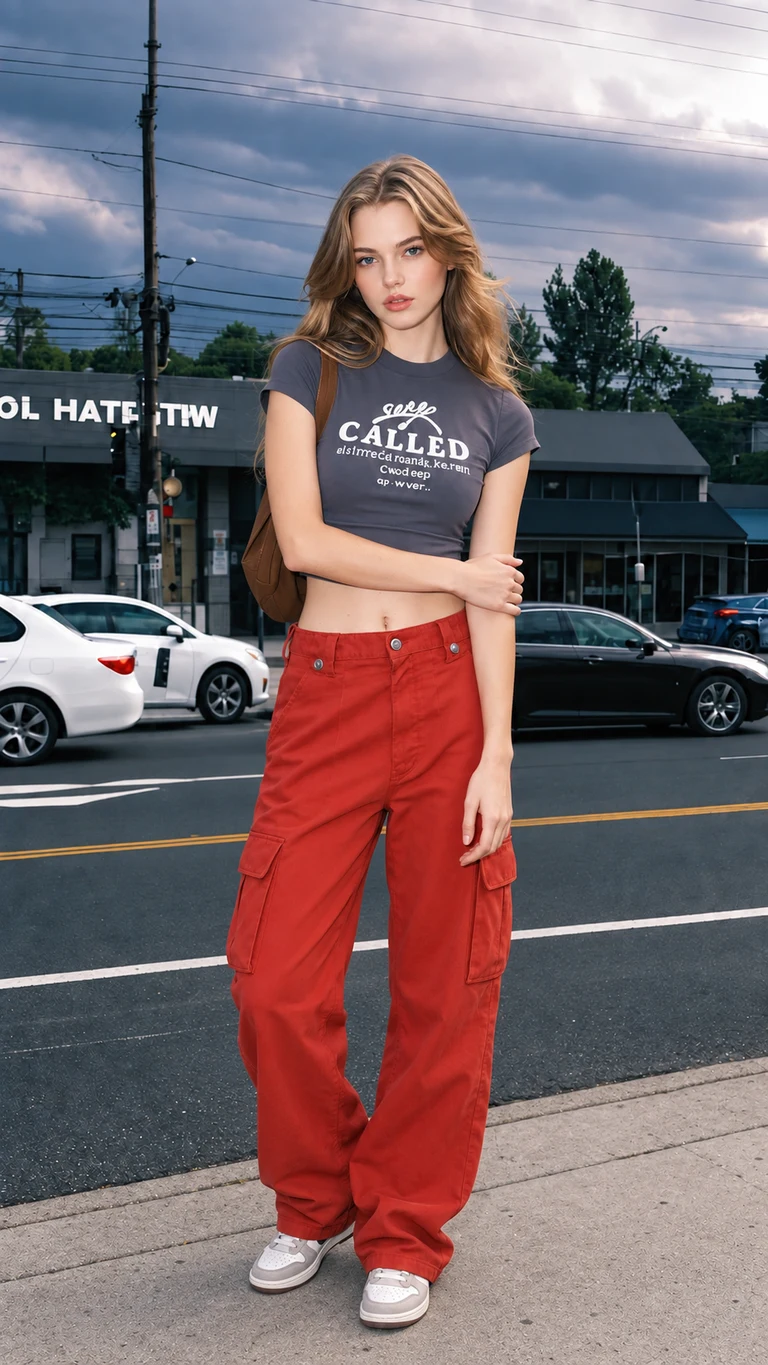
The walking motion remains, while the bag moves from a lowered hand to the shoulder and the hand rises to hold its strap. The brown outfit and dusk street setting remain recognizable.
What to check
The framing and road markings change, and the reference’s full-body step is not reproduced exactly. Compare the bag, fingers, and leg position rather than assuming an exact pose copy.
Useful for: Changing hand and bag placement in an existing walking pose.
03 / Scoring
What went into the 9.3/10 score?
Our team assigns each criterion a subjective editorial score from 0 to 10 across these five examples, then calculates a weighted average. These are overall criterion judgments, not an average of separately scored test runs. Pose execution receives 60% because changing the pose is the product’s central task. This task-focused weighting makes the overall score high even though exact props, framing, and fine details still need inspection. It is not a statistical estimate of success across all photos.
Evidence behind the editorial judgment
Case
Pose outcome
Detail to inspect
Hand on hip
Arm moves to the waist
Square output; fabric folds change
Shoulder strap
Raised arm lowers
Camera disappears; lettering changes
Over the shoulder
Torso turns further
Feet remain outside the crop
Arm hold
Hand crosses the torso
Belt, coat folds, and crop change
Walking
Hand holds a shoulder bag
Road markings and framing change
Evaluation checklist: compare the requested movement with the output; check visible facial features and scene continuity; inspect hands, props, and text; look for blur; compare the crop. The observations explain the judgment without implying a calibrated numerical benchmark.
Pose execution
9.6/10 · 60% weight
All five results show the intended pose direction or hand-placement change. This criterion values a readable pose edit, not an exact copy of every joint in the reference.
Person & scene
9/10 · 20% weight
The subjects, broad outfits, and settings remain recognizable in this set, although clothing folds, lettering, and background details can shift.
Fine details
9/10 · 10% weight
The team rates the visible finish highly overall, while hands, straps, props, and garment details still require checking. The flower-market camera disappears in its result.
Image quality
8/10 · 5% weight
The five supplied 2K / Medium outputs are usable-looking portraits. This small set does not establish image quality across repeated attempts or other inputs.
Framing
8.5/10 · 5% weight
The compositions remain usable for these examples, but two portrait inputs become square results and full-body references do not preserve their exact crop.
Formula: (9.6 × 60 + 9 × 20 + 9 × 10 + 8 × 5 + 8.5 × 5) ÷ 100 = 9.285, rounded to 9.3/10. The number reflects our stated task priorities and this sample, not a general performance guarantee.
04 / Close inspection
Where local details matter most
A pose can read well at thumbnail size while a small object or garment detail changes. Reviewing these areas is especially important when the photo is for a product listing, portfolio, or personal memory.
Waist and hand placement
Original detailResult detail
Compare hand-to-waist contact and the folds around the waistband.
Camera, strap, and shirt
Original detailResult detail
The camera beside the head is absent in the output. Compare the remaining strap and shirt lettering.
Sleeve and belt
Original detailResult detail
The arm hold changes the sleeve shape. Inspect the belt and knit fabric beside it.
Magnified crops of the same case images, not additional tests or retouched results. Different output framing means these crops are not pixel-aligned. Select a detail to open the full image.
01
Hands and contact
Check the number and shape of visible fingers, where a hand meets the waist or strap, and whether the arm connects naturally to the shoulder. The street and meadow examples make these contact points easy to compare.
02
Props and lettering
The flower-market example changes more than an arm: the raised camera disappears, a strap remains, and shirt lettering shifts. When an object carries the meaning of the photograph, inspect it at full size before deciding the result is usable.
03
Garment and setting
Fabric folds, belts, road markings, and rooftop details may be recreated rather than kept pixel for pixel. In the rooftop result, the outfit and scene remain broadly recognizable, but the exact clothing construction and crop differ.
05 / Time & reliability
How long did generation take?
The team’s usual wait for these five examples was about one minute. The saved task records show completed requests without a start-to-finish timestamp for each one.
Usual reported wait~1 minute
Five completed examples at 2K / Medium. This is not a measured average or a delivery guarantee.
What the records can show
01
Each supplied task reached a completed result.
02
The screenshots do not record elapsed time per request.
03
Queue load and retries may change your wait.
If a task failsCredits return automatically
Once the task is marked failed, check your signed-in credit balance. These five completed examples do not establish a failure rate.
06 / Value
What does an edit cost in credits?
The current generation workflow uses the same settings as this review. The confirmed charge is for one generated image, with a pose reference or a written direction.
Current output settings5 credits / image
Aspect ratio
Auto · based on the source
Resolution
2K
Quality
Medium
Pose direction
Reference image or text
This is the only priced parameter combination in the current workflow. We do not assign credit prices to other resolutions or quality levels.
New account10 credits
Two generations at the current 5-credit rate.
Failed generationCredits returned
Check the balance when the task is marked failed.
One-time packs at the current setting
Maximum number of 5-credit attempts if the whole pack is used.
200 credits$9.90
Up to 40 images · about $0.248 each
650 credits$29.90
Up to 130 images · about $0.230 each
2,500 credits$99.90
Up to 500 images · about $0.200 each
An attempt may still need a retry to get the pose and details you want. Check current pricing and checkout details before buying; a larger pack does not change image quality.
07 / Prompt direction
How should you write a pose prompt?
Keep the requested movement specific and tell the editor which parts of the original must stay. In this review, all five requests used one shared instruction:
Edit the pose of the person in the first image. Preserve their facial identity, hairstyle, outfit, and background as closely as possible.
Use the second image only as a pose reference. Keep the person and scene from the first image.
Write this way
Name one visible change
“Move the right hand to the waist. Keep the face, outfit, and street scene from the original. Use the second image only for arm placement.”
Identify the body part and destination.
Say which original details matter.
Give the reference one clear job.
Avoid this approach
Vague or conflicting directions
“Make it better. Copy everything from the second photo, but change nothing in the first.”
“Better” does not specify a pose.
Copying everything can replace the source scene.
“Change nothing” conflicts with a pose edit.
These directions help define the task; they cannot guarantee exact hands, props, text, or framing. Inspect the full-size result before using it.
08 / Before you try
Practical questions before your first edit
Does saving add a watermark or cost more credits?
The editor’s Save image action downloads the generated file directly, without adding a site watermark or starting another generation. Saving that result does not trigger another credit charge.
What happens if generation fails?
Failed tasks automatically return their credits. Check the signed-in balance after the task is marked failed. A completed result that needs a different pose is different from a failed task; a new generation uses five credits.
Can I keep or delete my results?
Download any result you want to keep. My Creations provides download and delete controls and may show a file removal period. Deleting a creation does not necessarily remove billing or security records; see the privacy policy.
Will my phone photo look like these results?
These examples use AI-created source portraits. A phone photo can differ in lighting, framing, and detail. Start with a clear image that includes the body parts you want to move, try one focused change, and compare the full-size output with your original.
09 / Verdict
Our AI Pose Changer review verdict
Best fit: trying a different arm position, shoulder angle, or bag placement while keeping the portrait’s broad identity and setting. The five cases show visible changes using one reference and one result per request.
Check before using: hands, accessories, clothing text, and crop. The missing camera and square outputs show changes beyond the requested movement. Read the 9.3/10 editorial rating alongside the case images.
Start small: use the ten welcome credits to try up to two focused edits at the current settings. Compare each output with your original before deciding whether a larger pack fits your needs.